What Is a CRM for Industrial Equipment Manufacturers? A Complete Guide
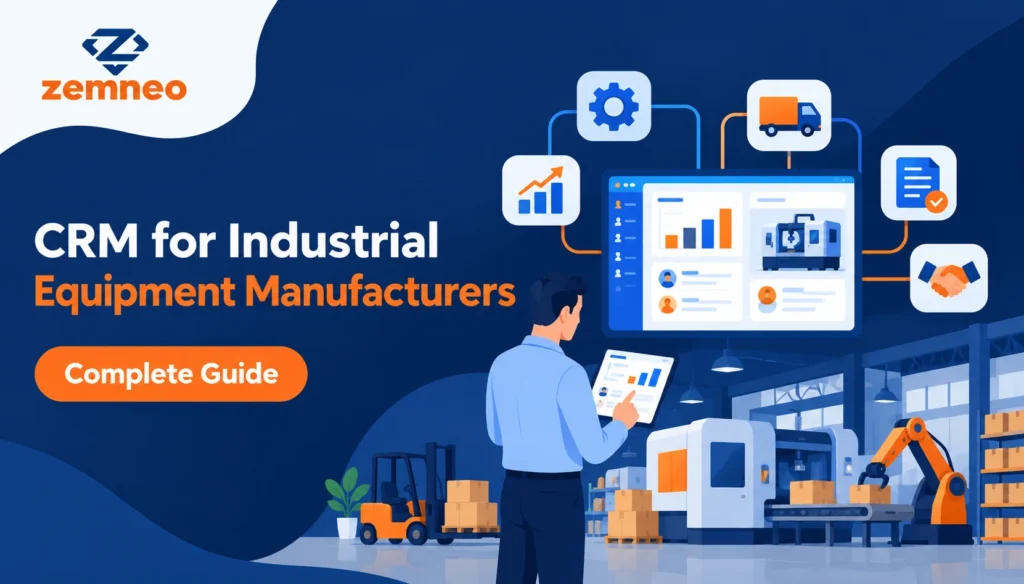
If you manufacture industrial equipment, finding the right CRM for industrial equipment manufacturers can change how your entire sales process runs, since that process is rarely simple. A single deal can involve a dealer, a technical quotation, multiple rounds of approval, and a long wait before the order is actually confirmed. Add spare parts, warranty requests, and repeat orders after the sale, and it is easy to see why spreadsheets and email threads stop working once a business grows past a certain size.
This guide explains what a CRM for industrial equipment manufacturers actually does, how it helps with dealer management, quotations, field sales, and aftermarket support, and what to look for if you are evaluating one for your own business.
The Problem With Managing Dealers on Spreadsheets
Most manufacturers start out tracking dealers and leads in Excel, because it is free and everyone already knows how to use it. This works fine with a handful of dealers. Once you are managing dealers across several regions, along with inbound leads from your website, trade shows, and referrals, a spreadsheet stops being a system and becomes a liability, which is usually the exact point where manufacturers start looking for a proper CRM for industrial equipment manufacturers.
Nobody can see the full picture at once. One person tracks dealer communication in their inbox. Another keeps quotation status in a separate file. A regional sales manager has no easy way to check whether a specific dealer’s pending order was ever approved. When something goes wrong, like a dealer chasing a quotation that was actually sent two weeks ago, it usually traces back to information living in too many places at once.
What Does a CRM for Industrial Equipment Manufacturers Actually Do?
A CRM for industrial equipment manufacturers brings every part of this process into one place. Instead of leads, dealer profiles, quotations, and field visits living in separate tools, everything sits inside a single system that your whole sales team can see.
At its core, this kind of manufacturing CRM software centralizes leads, dealer networks, and field sales data, so manufacturers can manage B2B inquiries, quotations, approvals, and follow-ups without switching between five different tools. Inquiries coming in from your website, Google Ads, trade shows, or distributor referrals all land in the same pipeline through lead management, so nothing depends on one person remembering to check an inbox.
Every dealer, prospect, and customer also gets a proper record instead of a name in someone’s phone. Contact management keeps company details, past orders, and communication history attached to each account, so a new team member can pick up a relationship without starting from zero.
For a business selling complex machinery or components, this matters more than it might for a simpler product. Long sales cycles mean a lead from three months ago might still be active, and without a shared system, that lead is easy to lose track of. This is exactly the gap a CRM for industrial equipment manufacturers is built to close.
Why Does Dealer Management Need Its Own System, Not Just Contacts?
A CRM for industrial equipment manufacturers treats dealers differently from regular customers, since a basic contact list misses most of what actually matters here. A dealer has an assigned territory, a history of communication, ongoing deals at different stages, and often a different pricing or approval process than a direct customer.
Good dealer management inside a CRM tracks all of this against each dealer profile. You can see which territory a dealer covers, what deals they currently have open, and the full communication history without digging through old emails. This also solves a problem that comes up constantly in manufacturing sales: knowing exactly how each dealer is performing, and which relationships need more attention.
A manufacturing CRM built for dealers and industrial sales keeps dealer coordination, territory assignment, and account information connected in one place, instead of scattered across whoever happens to be managing that relationship that week. Since every industrial deal is different, being able to build custom pipelines and fields around how your team actually sells matters more here than it does for simpler, off the shelf products.
How Do You Track Quotations and Approvals Without Losing Deals?
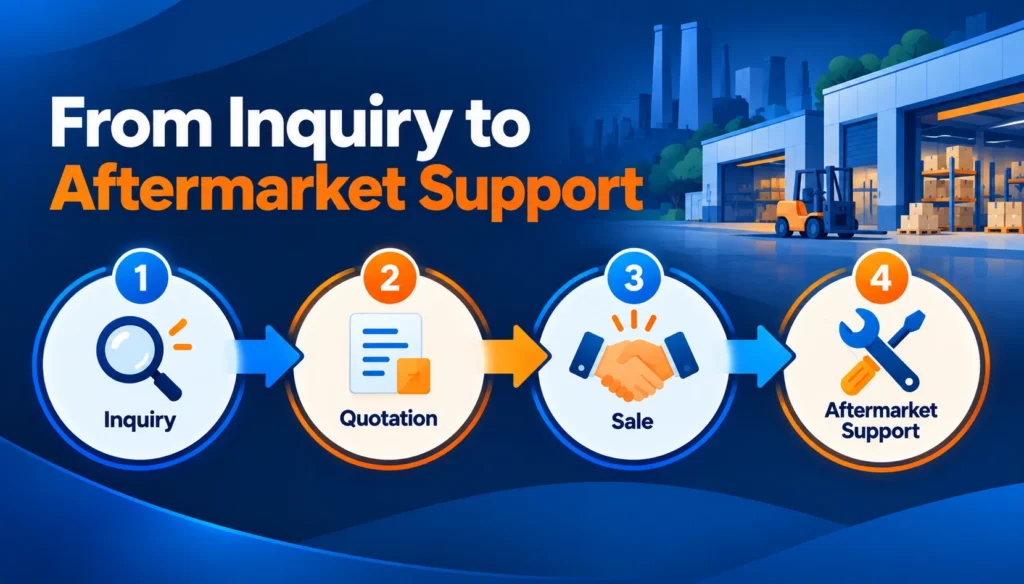
Inside a proper CRM for industrial equipment manufacturers, quotation tracking matters as much as lead tracking, since quotations in industrial sales are rarely a single document sent once. There are revisions, technical specification changes, and multiple people who need to sign off before an order moves forward. Losing track of where a quotation stands is one of the most common ways manufacturers lose deals that were otherwise going well.
Here is a simple way to keep this under control.
Attach every quotation directly to the opportunity it belongs to, not to a separate folder or a personal inbox. This way, anyone checking on the deal can see the latest version without asking around.
Track the stage of each opportunity clearly, from inquiry through quotation, negotiation, and approval, so a manager can scan the pipeline and immediately see which deals are stuck.
Record expected revenue and product pricing against each opportunity, since industrial deals often involve custom pricing that changes as negotiations move forward. Keeping specifications and variants organized through product management also means your team is quoting from the same accurate catalog every time, instead of relying on an outdated price list someone saved months ago.
ZemNeo’s Opportunity Management feature is built around exactly this, letting teams track deals from inquiry to closure with clear pipeline stages, quotation uploads, and expected revenue, so nothing depends on memory or a scattered set of files.
What Happens After the Sale? Managing Aftermarket and Spare Part Orders
Closing the initial sale is not the end of the relationship in industrial equipment manufacturing. Spare parts, warranty claims, and repeat orders often generate as much long term revenue as the original sale, but many manufacturers have no real system for tracking any of it once the first order ships.
This is where aftermarket sales software for manufacturers becomes important. Without it, a warranty request might sit in someone’s inbox for days, or a dealer asking about a spare part has to wait because nobody knows who is handling that request. An after sales CRM keeps these requests visible and tracked the same way a new sales opportunity would be, so service requests, warranty follow-ups, and spare part inquiries do not fall through the cracks after the deal closes.
Manufacturers that treat aftermarket support as seriously as new sales tend to see stronger long term relationships with their dealers, since a dealer who trusts your support process is more likely to bring you the next deal too.
Field Sales Tracking for Manufacturing Teams
A lot of industrial sales work does not happen at a desk. Field reps visit dealers, inspect sites, and meet with prospects in person, often across a wide region. Without a system to track this, it is hard to know what a field rep actually did last week, or whether a promised follow-up visit ever happened.
Field sales software for manufacturing solves this by letting managers plan and assign visits, while reps log visit notes and create follow-up tasks directly from the field. This gives regional sales visibility that a manager would otherwise only get by calling each rep individually, and it means a visit does not just disappear once it is over. The notes stay attached to the dealer or lead record, so the next person who picks up that relationship has full context. Assigning these visits and the tasks that come out of them through task management also means a promised follow-up shows up as an actual reminder, not something a rep has to remember on their own.
This becomes even more useful once a deal moves through several stages over a long sales cycle. Our guide on opportunity pipeline management covers how to track deal stages and activities in more detail, and the same principles apply directly to long, multi-step industrial sales.

How Do You Choose the Right B2B Manufacturing Sales Platform?
If you are evaluating a CRM for your manufacturing business, a few things separate a real CRM for industrial equipment manufacturers from a generic sales tool with a manufacturing label attached.
Make sure the platform supports dealer profiles with territory assignment, not just generic contacts. Industrial sales depend heavily on managing relationships by region, and a CRM that treats every contact the same way will not fit well.
Look for built in quotation and opportunity tracking, so pricing, product specifications, and approval status stay attached to the deal itself, instead of living in separate documents. A CRM for industrial equipment manufacturers that gets this right saves your team from re-explaining deal history every time a quotation gets revised.
Check that field sales tracking is included, especially if your team spends significant time visiting dealers or job sites in person.
Confirm that reporting covers dealer performance, product wise sales, and regional trends, and that you can export this as PDF, Excel, or CSV when leadership needs it in a specific format. Reports and dashboards built directly into the CRM save your team from rebuilding the same numbers in a separate spreadsheet every month.
Finally, ask whether the platform supports aftermarket and after sales tracking. A CRM that only handles the first sale leaves a large part of your revenue, repeat orders, spare parts, and service requests, completely unmanaged.
Common Mistakes Manufacturers Make With Dealer and Aftermarket Data
Treating dealers like regular contacts: A CRM for industrial equipment manufacturers should never flatten dealers into generic contacts. Without territory assignment and dealer specific tracking, managers lose visibility into which relationships need attention.
Letting quotations live outside the CRM: When pricing and technical documents sit in someone’s email instead of attached to the opportunity, deals slow down every time someone has to search for the latest version.
Ignoring aftermarket activity until it becomes a complaint: Spare part requests and warranty follow-ups deserve the same tracking as new sales, not a scramble after a dealer is already frustrated.
Not tracking field visits properly: Without visit notes and follow-up tasks tied to a record, a field rep’s work is invisible to the rest of the team.
Skipping reporting: Without visibility into dealer performance and regional trends, it is difficult to know where to invest more sales effort and where relationships are quietly falling behind.
Relying on one person to hold the whole picture: In many manufacturing businesses, one sales manager ends up being the only one who truly knows the status of every dealer and deal. If that person is out for a week, or leaves the company, that knowledge leaves with them. A CRM for industrial equipment manufacturers protects the business from this kind of single point of failure by keeping the record shared, not personal.
Frequently Asked Questions
What is a CRM for industrial equipment manufacturers used for?
A CRM for industrial equipment manufacturers helps teams manage B2B leads, dealer networks, quotations, field visits, and long sales cycles from one platform, so every inquiry and opportunity stays tracked and followed up on time.
How does a CRM help with dealer management specifically?
It tracks dealer profiles, assigned territories, open opportunities, and communication history, so manufacturers always know how each dealer is performing and which deals need attention.
Can this kind of CRM work for distribution companies as well as manufacturers?
Yes. The same system that manages manufacturer to dealer relationships also works well for distributors, tracking leads, order status, and communication history across regions.
What is aftermarket sales software and why does it matter?
Aftermarket sales software helps manufacturers manage service requests, warranty follow-ups, spare part inquiries, and repeat orders after the original deal closes, which protects long term dealer relationships.
How does field sales tracking help manufacturing sales teams?
It lets managers assign visits and lets reps log notes and follow-up tasks from the field, giving the whole team visibility into what happened at each dealer or site visit.
Is a CRM for industrial equipment manufacturers only useful for large manufacturers?
No. Small and growing manufacturers often benefit the most from a CRM for industrial equipment manufacturers, since they usually have the least spare capacity to manually track dealers, quotations, and aftermarket requests across a spreadsheet.
Does a manufacturing CRM support chemical or bulk order manufacturers, not just equipment makers?
Yes. Manufacturers handling bulk orders, repeat purchases, and compliance related follow-ups can use the same core system, since the underlying need, tracking long sales cycles and ongoing relationships, is the same.
What reports should a manufacturer expect from this kind of CRM?
Dealer performance, product wise sales, field team productivity, and regional trends, usually available for export as PDF, Excel, or CSV for sharing with leadership.
How is opportunity tracking different from basic lead tracking in this context?
Opportunity tracking follows a deal through quotation, negotiation, and approval, with pricing and documents attached, while basic lead tracking only captures initial interest before it becomes a real deal.
What is the biggest mistake manufacturers make before adopting a CRM?
Waiting until dealer or aftermarket problems become visible complaints, instead of putting tracking in place early, when the data volume is still manageable.
Want to see how this works for your own dealer network? Explore ZemNeo’s Manufacturing CRM or book a free demo to see it set up around your sales process.
Recent Posts