CRM for Wholesale Distributors: How Manufacturers Manage Dealer Leads
A dealer sends an enquiry on Monday. A salesperson records it in an Excel sheet, follows up on WhatsApp a few days later, and notes the next action somewhere else. By the end of the week, it can be difficult to know who last spoke to the dealer, what was discussed, and when the next follow-up is due.
This becomes a bigger challenge as manufacturers and wholesale distributors manage more dealers and salespeople. Enquiries may come through a website, phone call, email, referral, or field salesperson. When this information is stored in different places, teams can lose track of lead status, dealer requirements, and follow-ups.
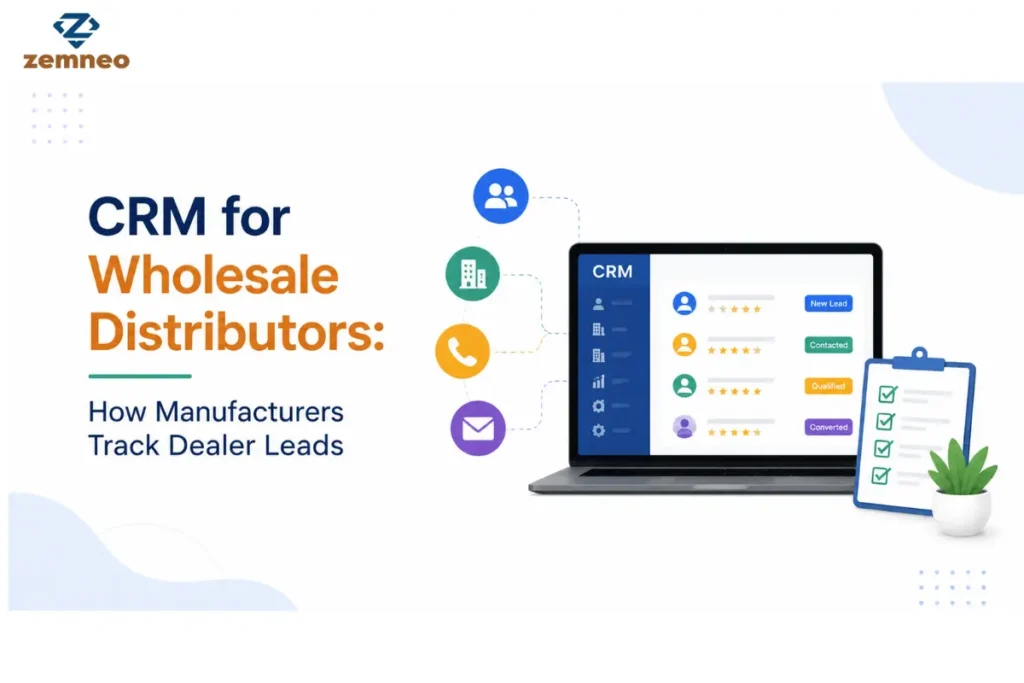
A CRM for wholesale distributors brings this information into one place. Sales teams can capture dealer enquiries, assign leads, record conversations, and track each opportunity from the initial enquiry to a quotation, order, or future purchase.
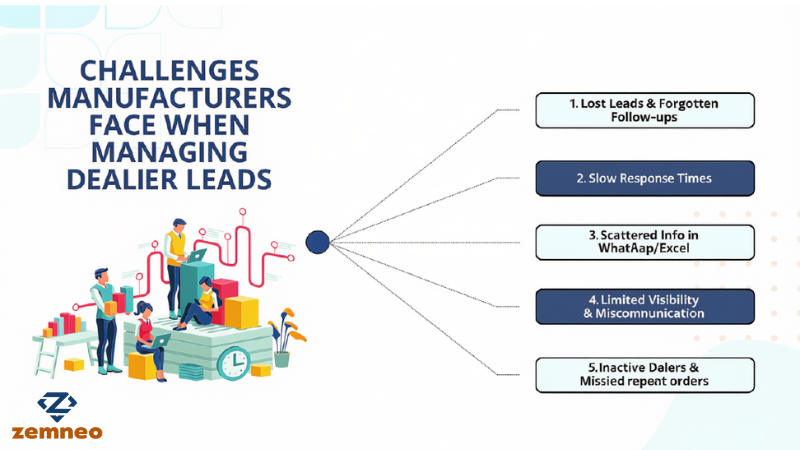
Challenges Manufacturers Face When Managing Dealer Leads
As a dealer network grows, manufacturers have more leads to manage. Sales teams also handle more calls, follow-ups, and conversations.
The work becomes harder when lead data is spread across Excel files, WhatsApp chats, emails, and personal notes. Managers may also find it difficult to see which leads are active and who is handling them.
Common challenges include:
- Lost Leads: An enquiry can be missed when there is no proper system to track it.
- Slow Responses: A new lead may not reach the right salesperson quickly, delaying the first response.
- Scattered Information: Contact details, product needs, and past conversations may be stored in different places.
- Limited Sales Visibility: Managers may not have a clear view of active leads, pending follow-ups, or sales activity.
- Miscommunication: Separate records can cause two salespeople to contact the same dealer or share different information.
- Missed Repeat Sales: Inactive dealers may be forgotten without a clear record of past orders and conversations.
A CRM for industrial sales can help manufacturers bring this information into one system. It gives sales teams a clearer way to manage leads, follow-ups, and dealer relationships.
Industrial sales can make it difficult for manufacturers to manage dealer leads consistently as their sales network grows.
Why Manufacturers Need a CRM for Wholesale Distributors
Managing a few dealer enquiries manually is manageable at first. But as your network grows, tracking leads, follow-ups, and regional conversations across separate spreadsheets becomes complex and chaotic.
A crm for wholesale distributors brings all your dealer interactions into a single, shared platform. It replaces scattered records with clear visibility, helping your team handle enquiries faster and close deals efficiently.
Here is how a specialized CRM improves dealer lead tracking:
- Centralized Dealer Database: Store contact details, locations, order history, and notes in one place. Sales reps can quickly review past chats before calling a dealer.
- Faster Follow-Ups: Set task reminders and callback alerts so salespeople never miss an inquiry, quotation update, or scheduled call.
- Smart Lead Routing: Route fresh enquiries instantly to the right regional manager based on location or product line, ensuring zero confusion over lead ownership.
- Clear Team Tracking: Give managers full visibility into active leads, pending follow-ups, and overall sales performance to keep deals moving forward.
How Manufacturers Track Dealer Leads With CRM
A CRM tracks every dealer from their initial enquiry to the final sale. Instead of updating data in multiple places, your team gets a clear view of lead details, past chats, and current status in one system.
Effective lead management follows six practical steps:
1. Capture New Leads: Log enquiries from website forms, phone calls, emails, or referrals into the CRM with key details like location and product interest.
2. Qualify the Opportunity: Evaluate dealer requirements, expected order size, and business profile to focus on high-value prospects.
3. Assign to Regional Teams: Route leads directly to the manager handling that area (e.g., Delhi leads go to the North team) for clear ownership.
4. Follow Up & Move Forward: Set callback alerts, record calls, send quotes, and update stages as deals move toward an order.
5. Track Reorders: Monitor ongoing dealer activity post-sale to spot repeat orders and new product opportunities.
6. Re-engage Inactive Dealers: Use past activity history to identify cold dealer accounts and trigger proactive follow-ups.
What Dealer Information Can a CRM Track?
A specialized CRM for manufacturers centralizes essential dealer data into a single, accessible profile:
- Dealer Profile & Territory: Contact details, company location, and assigned sales rep.
- Requirements & Inquiries: Product SKUs, order volume, and lead source (website, trade show, calls).
- Communication & Pipeline: WhatsApp/call logs, quotation stages, credit terms, and follow-up reminders.
Centralizing these records helps reps review context instantly and continue conversations without delays.
Benefits of CRM for Dealer Lead Management
A CRM streamlines dealer communication while giving managers full visibility into sales performance across teams and regions.
Key benefits include:
- Zero Missed Follow-ups: Automated task alerts ensure timely outreach for every enquiry.
- Faster Response Times: Automated lead routing ensures clear ownership and instant response.
- Complete Pipeline Visibility: Real-time reports track lead sources, rep activities, and regional deal progress.
- Higher Reorder Rates: Past activity logs help identify inactive accounts and trigger repeat sales opportunities.
CRM vs Excel for Dealer Lead Tracking
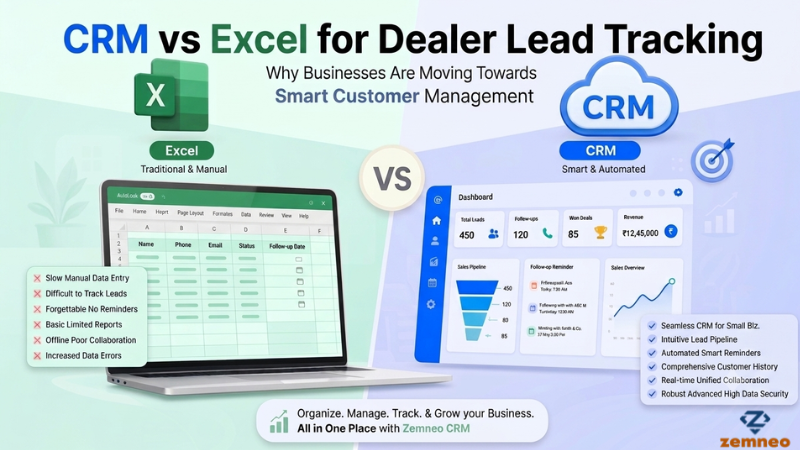
Many small manufacturers start by tracking dealer enquiries in Excel sheets. While Excel is easy to set up, managing it becomes more difficult as the dealer network grows. Sales teams may need to maintain multiple files, share updates with other salespeople, and manually check which dealers need a follow-up. A CRM system gives teams a more structured way to track enquiries, follow-ups, and dealer information.
Here is a simple comparison between Excel and a CRM system:
| Feature | Excel Spreadsheets | CRM System |
| Data Centralization | Data may be spread across different files, making it harder to manage. | Dealer details can be stored in one central place. |
| Follow-up Reminders | Requires manual checking, so follow-ups can be missed. | Teams can set reminders for follow-ups and tasks. |
| Team Collaboration | Sharing and updating files between team members can be difficult. | Team members can view and update lead information in one system. |
| Lead Routing | Leads usually need to be assigned manually through calls or emails. | Leads can be assigned to the right salesperson or sales manager. |
| Communication History | Calls, emails, and meeting notes may be stored separately from the spreadsheet. | Previous interactions can be kept with the dealer or lead record. |
| Lead Status Tracking | Salespeople may need to update and check the status manually. | Teams can see the current stage of dealer enquiries more easily. |
| Reporting & Insights | Reports and charts may need to be created and updated manually. | CRM systems can provide sales reports and lead insights. |
Excel can still work for a small team with a limited number of dealer enquiries. As the dealer network and sales team grow, however, a CRM can make it easier to manage lead ownership, follow-up activity, communication history, and enquiry status from one place.
How ZemNeo CRM
Selling to dealers requires ongoing trust and relationship management beyond the initial sale. A specialized CRM maintains complete context across every touchpoint to support long-term partnerships:
- Personalized Outreach: Sales reps review past order notes before calling, eliminating repetitive questions.
- Proactive Engagement: Schedule automated reminders for seasonal restocking, price updates, and new product launches.
- Faster Support: Complete interaction logs help reps resolve dealer queries instantly.
- Account Retention: Purchase histories reveal dormant accounts early, allowing timely re-engagement before competitors step in.
Consistent communication builds long-term dealer loyalty and drives recurring B2B orders.
Frequently Asked Questions (FAQs)
Q1. Why do manufacturers need a specialized CRM for wholesale distributors instead of a standard CRM?
Ans: A general CRM lacks supply-chain features. A dedicated CRM for wholesale distributors handles multi-tier pricing, regional dealer leads, and bulk order follow-ups directly tailored to manufacturing workflows.
Q2. How does a CRM for wholesale distributors integrate with existing ERP systems?
Ans: Modern software connects seamlessly with ERP systems via APIs. While your ERP manages inventory and billing, the CRM for wholesale distributors tracks lead interactions and field sales activities before syncing closed deals.
Q3. Can a CRM for wholesale distributors handle multi-tier networks like stockists and sub-dealers?
Ans: Yes. It allows clear hierarchical mapping so you can manage pricing rules, territory rights, and communication logs for primary distributors and secondary dealers without mixing data.
Conclusion
Managing dealer leads gets harder as your manufacturing business grows. When data stays scattered across sheets and notebooks, tracking follow-ups and conversations becomes chaotic.
A crm for wholesale distributors gives manufacturers a structured way to manage dealer data, track leads, schedule follow-ups, and keep sales teams updated throughout the sales process. If you want to streamline your sales workflow, contact our team to learn more.