
Account Management
Account Management CRM for Complete Customer Visibility
ZemNeo account management CRM brings customer details, contacts, activities, payments, and opportunities into one organized profile for better team coordination.
Customer Relationship Management
What is Account Management CRM?
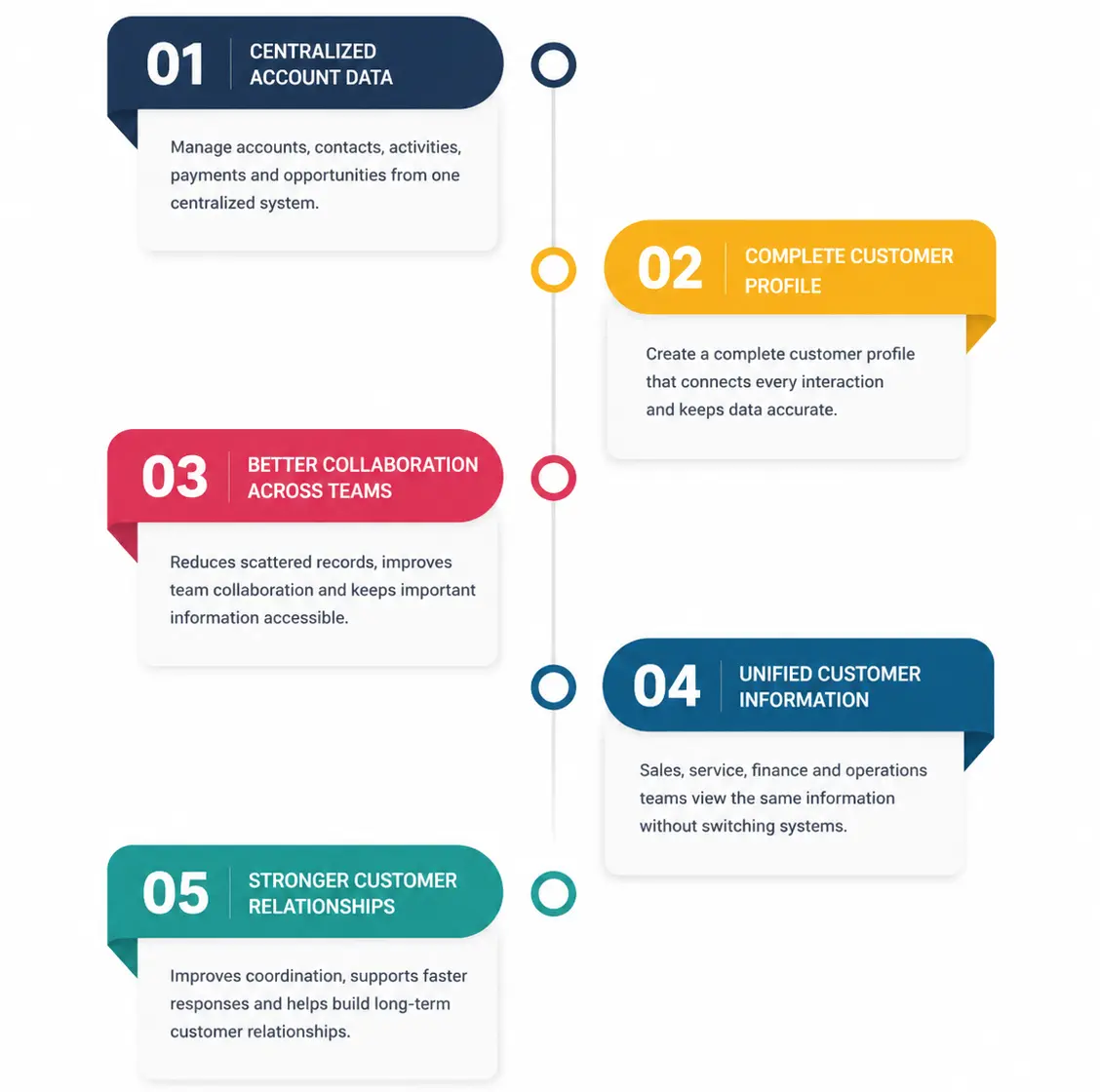
An account management CRM helps businesses manage customer accounts, contacts, activities, opportunities, payments, and important records in one centralized system. Instead of using separate spreadsheets, emails, or tools, teams can keep customer information organized in one place. ZemNeo gives businesses a clear view of each customer account, making it easier to track interactions, follow-ups, opportunities, and other important account details.
With ZemNeo, sales, service, finance, and operations teams can access the same up-to-date customer information without switching between systems. This reduces scattered records, improves team coordination, and helps employees respond faster to customer needs. By bringing account information and customer activities together, ZemNeo helps businesses manage customer relationships more efficiently and build stronger long-term relationships.
All Capabilities
Core Account Management CRM Features
These account management CRM features help businesses manage customer accounts, relationships, activities, and business interactions from one connected platform.
Customer Profiles
Store customer details, contacts, opportunities, payments, and activity history in one organized profile, helping teams get a complete view of each account quickly.
Multiple Contacts
Add and manage multiple contacts under one account while tracking roles, preferences, communication history, and support interactions for better customer coordination.
Linked Opportunities
Connect sales opportunities directly with customer accounts, giving teams clear visibility into deal value, progress, ownership, quotations, and supporting documents.
Activity History
Track calls, emails, WhatsApp chats, meetings, notes, files, and transactions in one account profile, giving teams the customer context they need for every interaction.
Payment Tracking
Monitor invoices, payments, refunds, pending balances, payment methods, and transaction records through a centralized customer account management system.
Document Storage
Store contracts, proposals, KYC records, agreements, and payment documents securely while keeping files organized, protected, and easy to access when required.
Account Segmentation
Group accounts by industry, location, revenue potential, category, owner, or status to support targeted communication, better planning, and stronger customer management.
Custom Fields
Create custom account fields for customer types, industries, tax information, branch mappings, service plans, and other business-specific needs and processes.
Role-Based Access
Control account visibility and editing permissions through role-based settings, helping protect sensitive customer information across teams, departments, and users.
Why ZemNeo
Built for Better Customer Management
ZemNeo provides an account management CRM that helps businesses keep customer accounts, contacts, activities, payments, and communication history organized in one place. Teams can get a clear view of customer relationships, reduce duplicate work, and access the information they need to manage accounts more efficiently. With connected customer data, sales, service, finance, and operations teams can work together with greater accuracy and visibility.
Backed by 15+ years of product innovation and 200+ CRM and automation experts, ZemNeo helps businesses across India, UAE, and USA manage customer relationships with a secure and scalable CRM solution. Its flexible approach helps businesses organize account management around their processes, making it easier to manage growing customer data and support long-term business relationships.


Account Controls
Flexible Account Management Settings
Configure your account management CRM around your business processes while keeping customer information organized, secure, and easy for the right teams to access.
-
Manage contacts, activities, and opportunities together
-
Manage contacts, activities, and opportunities together
-
Control account access through user permissions
-
Organize accounts using custom fields and filters
Profile Management
Keep customer details, activities, and business information organized in one central account profile for quick and easy access.
Contact Controls
Manage multiple contacts and communication records under each account to keep customer interactions connected and easy to track.
Custom Configuration
Create custom account fields and layouts based on your business requirements, customer types, and account management processes.
Access Permissions
Control who can view, edit, or manage customer account information based on user roles and business responsibilities.
Account Benefits
How Account Management Improves Team Performance
This customer account management software keeps customer information connected and accessible, helping teams improve coordination, reduce manual work, and respond faster.
-
Complete Customer View
-
Better Team Coordination
-
Faster Responses
-
Organized Records
-
Improved Visibility
-
Stronger Relationships

Got Questions? We’ve Got Answers
An account management CRM helps businesses organize customer information, contacts, activities, opportunities, and payments through one centralized customer profile.
An account management system provides complete customer visibility, helping teams respond faster, improve coordination, and maintain accurate customer records.
Businesses can store contacts, activities, opportunities, documents, payments, communication history, and customer details within each account profile.
Customer account management software keeps customer information organized, reduces duplicate work, improves collaboration, and supports faster decision making.
Yes. Role-based permissions allow businesses to control who can view, edit, or manage account information across teams and departments.