
How to Manage Sales Opportunities in CRM: A Step-by-Step Guide
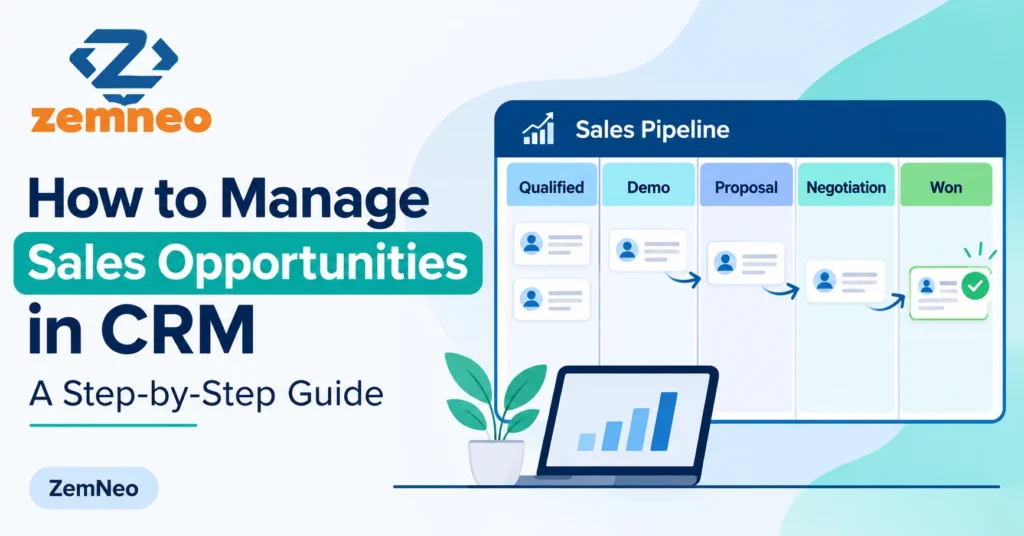
To manage sales opportunities in a CRM, create a record for every qualified deal, give it one owner, move it through clear pipeline stages, log each conversation, and review the pipeline every week. Done well, CRM opportunity management shows you which deals are real and which ones are quietly dying.
Most sales teams do not lose deals to a better competitor. They lose them to silence. A quote goes out on Monday, the follow-up slips to Thursday, and by next week the buyer has signed with someone who called back sooner. Sales opportunity management is the habit of stopping that from happening, and a CRM is where the habit lives.
This guide covers what an opportunity is, how it differs from a lead, how to set up stages, what to track, and where teams usually go wrong. The steps work in ZemNeo or any other CRM.
What Is an Opportunity in a CRM?
An opportunity is a lead that has shown real buying intent and has a possible deal value attached. Someone filled in a form, you spoke to them, and they have a need, a budget range, and a rough timeline. At that point they stop being a name on a list and become a deal you can forecast.
In CRM opportunity management, each opportunity is a record holding the contact, company, expected amount, stage, close date, and every call or note linked to it. Think of it as a file for one deal, not one person. A single customer can have three opportunities open at once: a new purchase, an upgrade, and a renewal.
Lead vs Opportunity: Where the Line Sits
Lead and opportunity management often get mixed up. Here is a simple way to separate them.
| Lead | Opportunity | |
|---|---|---|
| Buying intent | Unknown or low | Confirmed |
| Deal value | Not estimated | Estimated in rupees or dollars |
| Stage | New, contacted, nurturing | Proposal, negotiation, closing |
| Forecasting | Not counted | Counted, weighted by stage |
| Owner | Often shared | One named salesperson |
A good rule: if you cannot write an amount next to it and name a likely close month, it is still a lead. Keep it in nurturing until it earns a promotion. Clean CRM opportunity management starts with this split. Mixing the two inflates your pipeline and makes every forecast look better than it is.
How to Manage Sales Opportunities in CRM: 8 Steps
Step 1: Qualify Before You Create the Record
The quickest way to weaken CRM opportunity management is to add every enquiry as an opportunity. Check four things first: does the buyer have a real problem, a budget, a decision maker you can reach, and a timeline within the next six months? If two or more are missing, leave it as a lead. A smaller pipeline that is true beats a big one that is padded.
Step 2: Create a Clean Opportunity Record
Fill in the same fields every time: account name, contact, product or service, expected value, lead source, owner, stage, and close date. Add one custom field that matters to your business, like “number of users” for software or “site location” for a manufacturer.
Keep naming consistent. “Sharma Traders – Annual Contract – 2026” is searchable. “Deal 14” is not.
Step 3: Set Stages That Match Your Real Sales Process
Stages should describe what the buyer has done, not what the seller feels. Many teams start from Salesforce opportunity stages, which run from Prospecting through Qualification, Needs Analysis, Proposal, and Negotiation to Closed Won or Lost. That is a fine reference, but trim it if your sales cycle is short. Five stages work for most small and mid-size teams:
- Qualified: need and budget confirmed.
- Demo done: the buyer has seen the solution.
- Proposal sent: a written quote is with the buyer.
- Negotiation: price, terms, or scope are under discussion.
- Closed Won or Closed Lost.
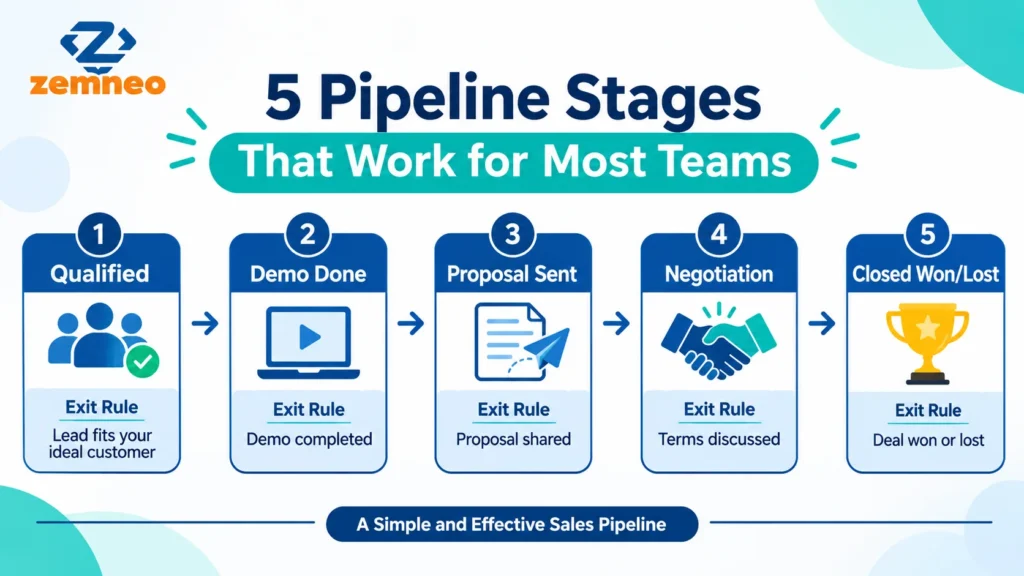
Give each stage an exit rule. A deal cannot move to “Proposal sent” until a quote is attached, for example. Exit rules stop reps from pushing deals forward just to look busy. For more on stage design, see our guide to opportunity pipeline management.
Step 4: Always Set a Next Step and Close Date
Every open opportunity needs a next action with a date, and an expected close date. “Send revised quote by Friday” is a next step. “Follow up” is not. If a deal has slipped three times, move it back or mark it lost. Stale close dates make CRM opportunity management useless for forecasting.
Step 5: Log Every Interaction in One Place
Calls, emails, WhatsApp chats, meetings, and quotes should all attach to the opportunity. When a salesperson goes on leave or quits, the next person can pick up the deal without asking the buyer to repeat everything. Opportunity management software that connects to phone, email, and messaging saves reps from typing notes twice. One complete history per deal is the base of CRM opportunity management.
Step 6: Run a Weekly Pipeline Review
Fifteen to thirty minutes, same day each week. Go through deals closing this month and any that have not moved in 14 days. For each, ask: what is the next step, who decides, and what could stop this deal? The aim is not to chase reps. It is to spot stuck deals while you can still help, and it is the easiest part of CRM opportunity management to adopt.
Step 7: Automate the Repeat Work
Some tasks happen on every deal: a thank-you mail after a demo, a reminder after three days of silence, an alert to the manager when a big deal enters negotiation. Set these as rules once and let your CRM opportunity management setup run them. Our explainer on CRM workflow automation shows how to do this without code.
Step 8: Close the Deal, Then Record Why
When a deal closes, mark it won or lost and pick a reason: price, timing, competitor, no decision, or product fit. After a few months, patterns appear. Maybe you lose most large deals because no senior person joins the call. This is where CRM opportunity management turns from record keeping into learning.
Common Mistakes in CRM Opportunity Management
- Too many stages. Ten stages feel precise, but nobody updates them. Five to seven is enough.
- No single owner. When two people share a deal, each assumes the other is following up.
- Stages moved by hope. If a deal sits at “Negotiation” because the rep wishes it would, your forecast is a guess.
- Updating on Friday evening from memory. By then the data is already old. Update as you go.
What to Look for in Opportunity Management Software
A tool built for CRM opportunity management should cover these basics:
- Custom stages and fields, so the tool fits your process.
- Drag-and-drop pipeline view plus a list view for bulk edits.
- Follow-up reminders tied to each deal.
- Calling, email, and WhatsApp integration so activity logs itself.
- Built-in reports on win rate, deal size, and sales cycle.
- Simple setup and pricing that a small team can handle without a consultant.
Salesforce, HubSpot, and Zoho all offer strong features, though they can feel heavy for a team of ten. Our comparison of ZemNeo against traditional ERPs and CRMs explains where a lighter CRM fits.
How ZemNeo Helps You Manage Sales Opportunities
ZemNeo is built for teams that want sales opportunity management without a long setup. You can turn a lead into an opportunity in one click, move it across stages on a visual board, assign an owner, and set follow-up tasks that appear on each rep’s daily list. Calls, emails, and notes stay attached to the deal, and dashboards show open deals, expected revenue, and win rate.
You can see everything on the ZemNeo opportunity management feature page, or look around the rest of the CRM from the ZemNeo homepage. For a small team, the real benefit is one screen that answers “what should I do today?”
Which Numbers to Track
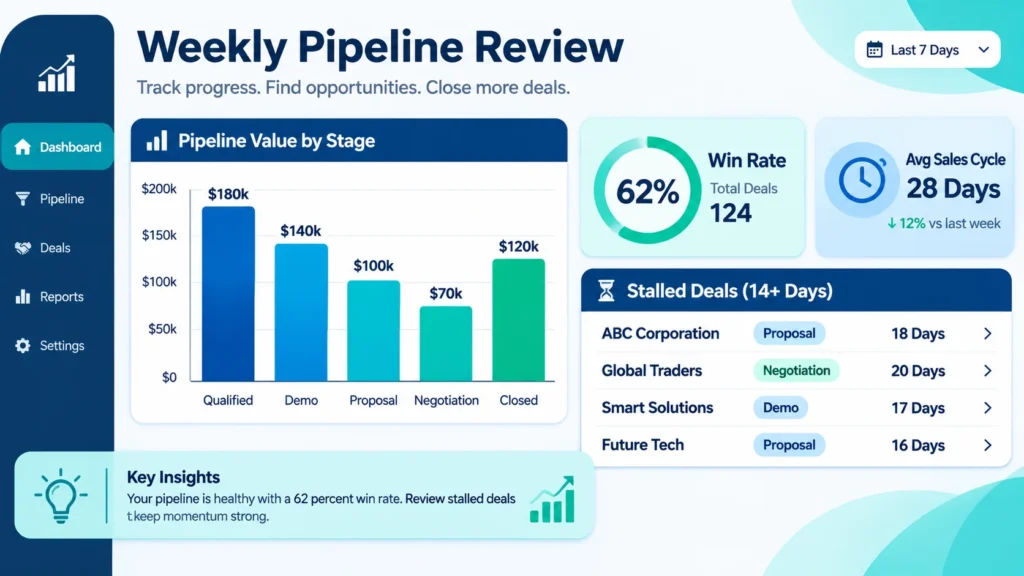
Keep CRM opportunity management reports short. Five numbers are enough to start:
- Pipeline value by stage: shows where the money is sitting.
- Win rate: closed won divided by total closed deals.
- Average sales cycle: days from creation to close.
- Average deal size: helps set realistic targets.
- Stalled deals: open opportunities with no activity for 14 days or more.
Reports and dashboards are not the same thing, and mixing them up leads to messy tracking. Our post on the difference between reports and dashboards clears it up with examples.
Frequently Asked Questions
1. What is sales opportunity management?
It is the process of tracking and guiding each qualified deal from first meeting to close, including qualification, stage movement, follow-ups, forecasting, and learning from wins and losses.
2. How do I manage sales opportunities in a CRM?
Qualify the lead, create an opportunity record, assign one owner, move it through defined stages, log every interaction, set dated next steps, and review the pipeline weekly.
3. What is the difference between a lead and an opportunity?
A lead is an interested contact with unconfirmed intent. An opportunity is a qualified deal with an estimated value, a likely close date, and an owner.
4. What are the stages of an opportunity in a CRM?
Most teams use some version of Qualified, Demo, Proposal, Negotiation, and Closed Won or Lost. Salesforce opportunity stages are longer, but five to seven work for most small teams.
5. How many opportunities can one salesperson handle?
It depends on deal size and sales cycle. Many reps handle 20 to 40 in short-cycle sales and far fewer in complex ones. If follow-ups start slipping, the number is too high.
6. Why is CRM opportunity management important?
It gives you a reliable forecast, keeps deals from going cold, and shows which sources and habits produce wins.
7. Do small businesses need opportunity management software?
Yes, once you have more deals than one person can remember. A spreadsheet works for a handful, but breaks when follow-ups, owners, and quotes pile up.
8. How often should I update opportunities in the CRM?
Update the record right after each meaningful interaction and hold a team review once a week. Opportunities with no activity for 14 days should be reviewed or closed.
Final Thoughts
Strong CRM opportunity management comes down to a few steady habits: qualify honestly, define stages clearly, set next steps, log everything, and review weekly. A CRM just makes those habits easier to keep. If you want a simple place to start, set up your first pipeline in ZemNeo this week and see which deals have gone quiet.
Latest Posts from ZemNeo
- Smart Inventory Management Software: A Practical Guide for Growing Businesses
- What Is CRM Workflow Automation? How It Works and Why Your Business Needs It
- What Is a Travel Agency CRM? Features, Uses, and How It Works
- How to Keep Track of Team Tasks and Avoid Missed Deadlines
- Reports and Dashboards: What Is the Difference and How Do They Work?