
Reports and Dashboards: What Is the Difference and How Do They Work?
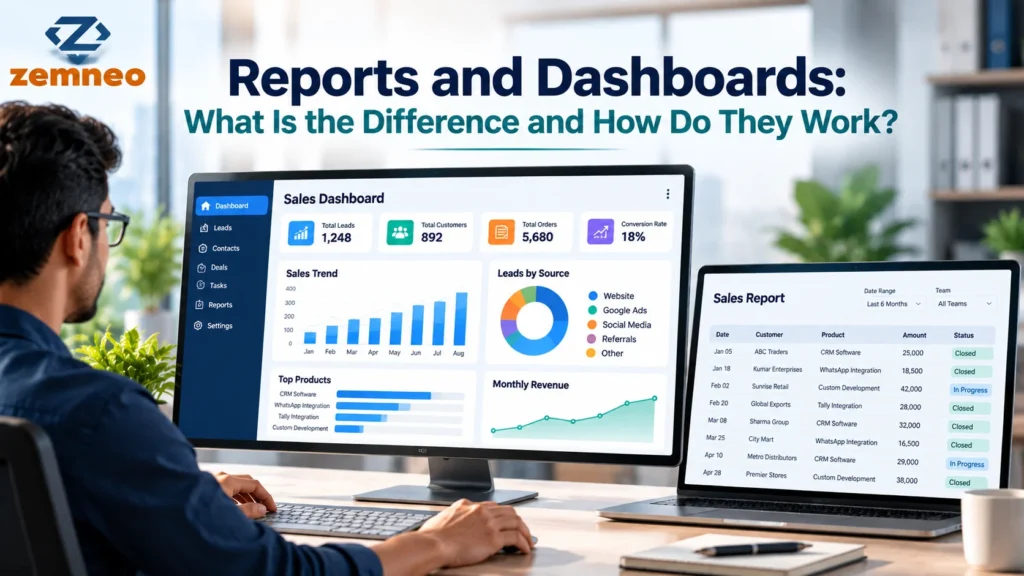
Businesses collect information every day. Sales teams record customer enquiries, managers track targets, finance teams review payments, and operations teams monitor pending tasks. But collecting information is only one part of the process. People also need a simple way to understand what the information means.
This is where reports and dashboards become useful.
Both help businesses review performance, understand trends, and make decisions based on recorded information. However, they present that information in different ways. A report usually provides a more detailed view of specific data, while a dashboard gives users a quick overview of important metrics.
Understanding the difference between reports and dashboards helps businesses choose the right format for daily monitoring, team reviews, and long-term planning.
What Are Reports and Dashboards?
Reports and dashboards are tools used to organise and present business information. They help teams turn raw data into information that is easier to understand and act on.
Although people often use the terms together, each serves a different purpose.
What Is a Business Report?
A business report presents information about a particular activity, period, or business question. It may include tables, figures, charts, written explanations, and comparisons.
For example, a monthly sales report might show the number of enquiries received, deals completed, revenue generated, and sales performance by employee. A manager can review these details to understand what happened during the month.
Reports are useful when someone needs more detail than a quick overview can provide.
Common examples include:
- Monthly sales and revenue reports
- Customer activity reports
- Lead conversion reports
- Employee task completion reports
- Payment and outstanding balance reports
- Sales pipeline reports
A report may be viewed on screen, downloaded as a file, or shared with managers and team members. Some reports are generated on demand, while others are prepared daily, weekly, or monthly.
What Is a Business Dashboard?
A business dashboard displays selected metrics in a visual format. It often uses charts, graphs, summary figures, tables, and status indicators to help users understand the current situation quickly.
For example, a sales manager might open a dashboard and see how many leads are active, how many deals are close to completion, which follow-ups are overdue, and how the team is performing against its targets.
Instead of reading several pages of information, the manager can identify areas that need attention.
Business dashboards are especially useful for monitoring performance and spotting changes that may require action.
The information displayed depends on the system, available data, and dashboard configuration. Some dashboards update when new activity is recorded, while others refresh at scheduled intervals.
What Is the Difference Between Reports and Dashboards?
The main difference is the level of detail and how people use the information.
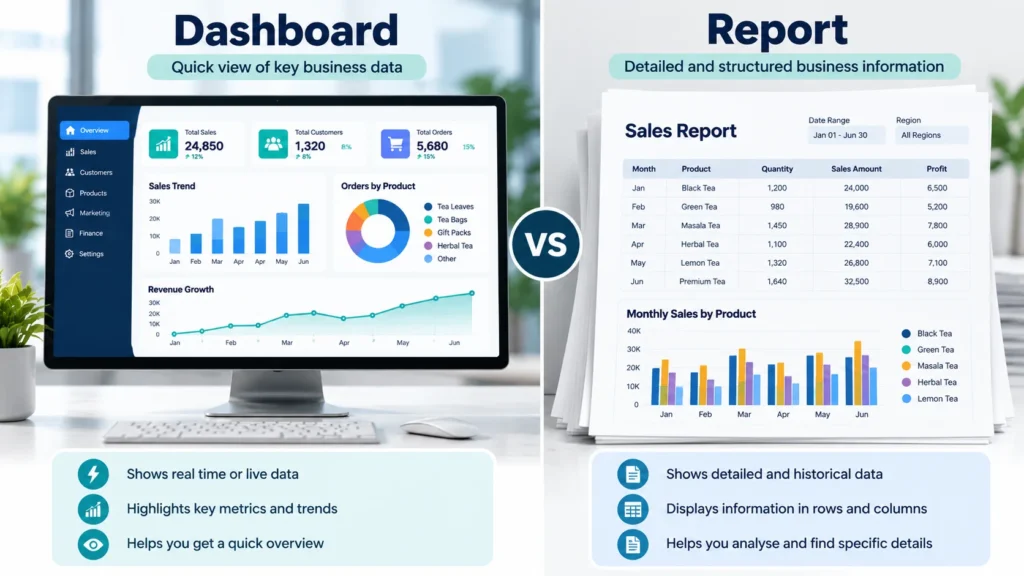
A dashboard is generally designed for a quick overview. A report is generally designed for a closer examination of specific information.
| Comparison | Reports | Dashboards |
|---|---|---|
| Main purpose | Examine specific data in detail | Monitor important metrics at a glance |
| Presentation | Tables, figures, charts, and detailed records | Visual summaries, charts, and key figures |
| Typical use | Monthly reviews, comparisons, and analysis | Daily monitoring and performance checks |
| Level of detail | Often more detailed | Usually focused on selected metrics |
| Time period | Often covers a defined period | May show current activity or a selected period |
| Common audience | Analysts, managers, finance teams, and department heads | Managers, team leaders, executives, and operational teams |
| Typical question | What happened, and what does the data show? | What is happening, and where should we look? |
These differences are general guidelines, not strict rules. Modern reporting tools can include interactive charts, and dashboards may allow users to open detailed reports or records.
Example: A Sales Team
Imagine a company receives 500 enquiries in a month.
Its sales dashboard shows the total enquiries, active opportunities, completed deals, conversion rate, and overdue follow-ups. The manager can quickly identify whether the team is meeting its targets.
The monthly report provides more detail. It may break enquiries down by source, compare individual sales representatives, show changes from the previous month, and list opportunities that did not progress.
The dashboard highlights the area that needs attention. The report helps the manager investigate it.
This is why dashboards and reports work well together rather than replacing one another.
How Do Business Dashboards and Reports Work?
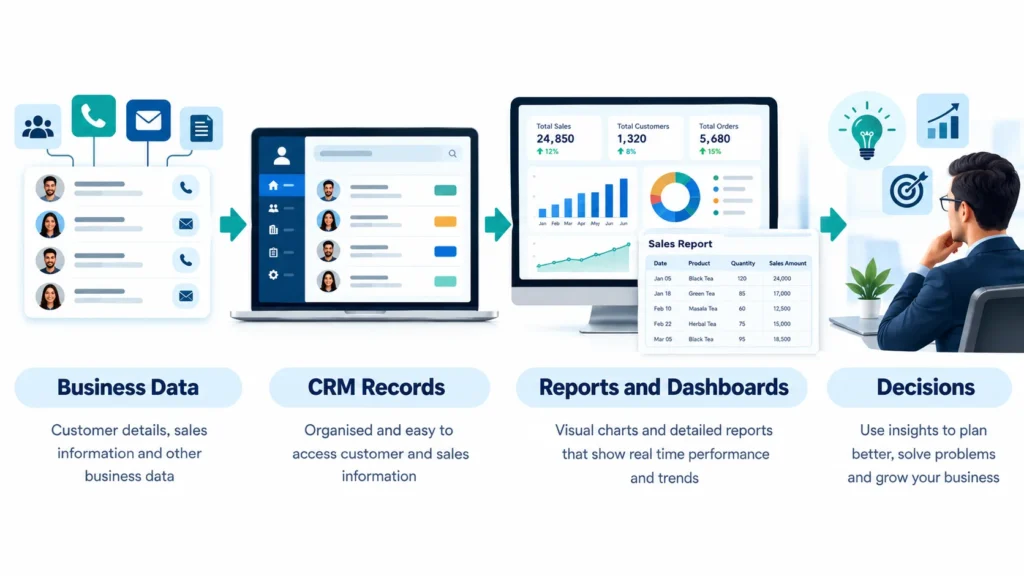
Both depend on the quality of the underlying data. The exact process varies by software, but most business reporting systems follow a similar sequence.
1. Collect Business Data
The system gathers information from relevant activities. In a CRM, this might include customer records, enquiries, sales opportunities, calls, tasks, payments, and follow-up history.
Some systems also connect with other business applications. The available information depends on the integrations and permissions configured.
2. Organise and Process the Data
The information is grouped, filtered, calculated, or categorised so that it can answer useful questions.
For example, a system may group sales opportunities by stage, calculate the number of completed deals, or compare enquiries received during two different months.
Accurate calculations depend on consistent records and clearly defined metrics.
3. Present the Results
The system displays the results in a report, dashboard, or both.
A report might list individual opportunities and their values. A dashboard might show the total value of opportunities at each stage.
4. Review the Information and Take Action
Managers use the results to decide what to do next.
If a report shows that many enquiries remain unanswered, a manager can investigate the response process. If a dashboard highlights several overdue tasks, the team can prioritise those follow-ups.
The purpose is not simply to display numbers. It is to help people understand the situation and decide what action is needed.
Common Types of Business Dashboards
Different teams need different information. A useful dashboard focuses on the questions its users need to answer.
Sales Dashboards
Sales dashboards help managers monitor the sales pipeline, completed deals, expected revenue, conversion rates, and team activity.
For example, a manager may notice that many opportunities remain at the quotation stage. The team can then review follow-up activity and identify possible delays.
Marketing Dashboards
Marketing dashboards show how campaigns perform. Depending on the tools connected, they may include website visits, leads generated, campaign costs, conversion rates, and results by marketing channel.
These metrics help teams compare campaigns and understand which channels are contributing to business goals.
Customer Dashboards
Customer dashboards bring selected customer information into one view. Depending on the system, this may include customer activity, account value, engagement, renewals, or signs of inactivity.
Teams can use this information to identify accounts that need attention and review customer relationships more consistently.
Operations Dashboards
Operations dashboards help teams monitor daily work, pending tasks, workload, service requests, and completion rates.
A team leader, for example, might use a dashboard to see which tasks are overdue and which employees have too many open assignments.
What Metrics Should a Business Dashboard Track?
The right metrics depend on the business goal. Adding every available number can make a dashboard confusing, so start with the measures that support specific decisions.
| Business area | Example metrics | Question to answer |
|---|---|---|
| Sales | Revenue, deals won, pipeline value | Are sales progressing towards targets? |
| Lead management | New leads, lead sources, conversion rate | Which leads are moving through the sales process? |
| Customer management | Active accounts, customer activity, retention indicators | Which customer relationships need attention? |
| Team productivity | Tasks completed, overdue tasks, follow-ups due | Where is work delayed? |
| Marketing | Leads by source, campaign conversions, acquisition cost | Which channels contribute to results? |
| Finance | Recorded payments, outstanding balances, revenue | What financial items need review? |
Not every CRM records all these metrics automatically. Some require additional integrations, custom fields, or consistent data entry.
Before choosing a metric, define how it will be calculated and which records will be included. For example, a conversion rate may refer to enquiries converted into qualified leads or qualified leads converted into customers. Those are different measurements and should not be treated as the same thing.
How CRM Reporting Helps Businesses Understand Performance
Customer relationship management (CRM) software stores information about customers, enquiries, sales opportunities, and related activities. Its reporting capabilities can help teams understand how these activities contribute to business performance.
For example, a CRM report might show how many leads came from different sources, while a dashboard summarises lead volume and conversion trends.
A team could use this information to investigate questions such as:
- Which lead sources generate the most enquiries?
- How many opportunities are moving towards a sale?
- Which follow-ups remain incomplete?
- How does sales performance change from one period to another?
- Where do opportunities tend to stop progressing?
These insights are useful only when the CRM data is accurate and the metrics are interpreted correctly.
ZemNeo’s Reports and Dashboards feature provides reporting and dashboard views for CRM activities, including leads, opportunities, tasks, and team performance. Its page also describes filters for teams, users, branches, and date ranges, along with report exports.
For a related explanation of how deals move through the sales process, read the guide to opportunity pipeline management. It explains how teams track sales opportunities across different stages.
Businesses reviewing customer relationships can also read what CRM account management involves to understand how customer records, activities, and opportunities fit together.
How to Choose Between a Report and a Dashboard
You do not always need to choose one over the other. The best option depends on the task, the audience, and the information required.
Use a dashboard when:
- You need to check performance regularly.
- You want to monitor a small group of important metrics.
- You need to identify overdue tasks or changes quickly.
- Team leaders need a shared view of current activity.
Use a report when:
- You need detailed records for a particular period.
- You want to compare performance across teams or time periods.
- You need to investigate a specific result.
- You need to share a detailed summary with managers or stakeholders.
Before selecting a tool, consider whether it can display the metrics your business needs, filter information appropriately, and provide access to the underlying records. Check how often the data updates, who can view sensitive information, and whether reports can be exported or shared.
It is also important to avoid clutter. A dashboard with too many charts can hide the information that matters most. Start with a few useful metrics and add more only when they help answer a clear business question.
Common Mistakes to Avoid
Even well-designed reporting tools can create confusion if businesses use them poorly.
Tracking too many metrics: A long list of numbers makes it difficult to identify priorities. Choose metrics linked to specific business goals.
Using inconsistent data: Missing fields, duplicate records, and inconsistent sales stages can make results unreliable. Establish clear rules for recording information.
Confusing activity with results: A high number of calls or tasks does not necessarily mean more sales. Review activity metrics alongside outcomes.
Ignoring the reporting period: A monthly figure cannot always be compared fairly with a weekly figure. Use consistent date ranges when comparing performance.
Assuming a dashboard explains the cause: A chart may show that conversion rates have dropped, but it does not automatically explain why. Review detailed reports and underlying records before deciding what caused the change.
Failing to review the metrics: A dashboard is useful only when someone checks the information and acts on relevant findings.
Frequently Asked Questions
1. What are dashboard reports?
Dashboard reports present selected business information through visual summaries, charts, tables, and key metrics. They help users monitor performance and identify areas that may need attention.
2. What is the main difference between reports and dashboards?
A report usually provides more detailed information for analysis, while a dashboard gives a quick overview of selected metrics. Many systems allow users to move from a dashboard to a detailed report.
3. What are business dashboards used for?
Business dashboards help teams monitor sales, marketing, customer activity, operations, and team performance. Their purpose is to make important information easier to review and act on.
4. What do data dashboards and reports have in common?
Both organise business data and present it in a form that people can understand. They can use the same underlying information and help teams review performance, identify trends, and make decisions.
5. Can a dashboard replace a report?
Not always. A dashboard may show that performance has changed, but a detailed report can help explain which records, teams, or activities contributed to that change. Most businesses benefit from using both.
6. What is a CRM dashboard?
A CRM dashboard displays selected customer and sales information, such as leads, opportunities, follow-ups, conversions, and team activity. The available metrics depend on the CRM and its configuration.
7. How often should business reports be generated?
The frequency depends on the purpose. Operational teams may need daily reports, managers may review weekly performance, and leadership teams may use monthly or quarterly reports for broader planning.
8. What makes a good business dashboard?
A good dashboard displays accurate, relevant metrics in a clear layout. It should have a defined purpose, use consistent calculations, avoid unnecessary charts, and help users identify the next action.
Final Thoughts
Reports and dashboards serve different but connected purposes. Dashboards help businesses monitor important metrics and spot changes, while reports provide more detail for understanding performance and investigating specific questions.
The most useful approach is to define what the team needs to know, select relevant metrics, keep business records accurate, and use the right format for each decision.
When reporting is connected to everyday business activity, teams can spend less time searching through scattered information and more time understanding what needs attention.
Five Recently Published ZemNeo Blog Posts
- How Does Retail CRM Software Support Retail Businesses? Key Features Explained
- What Is CTI? Computer Telephony Integration Explained
- ESP vs CRM: What’s the Difference and Why It Matters
- How Does School CRM Software Work? Features, Benefits & Guide
- How to Integrate Facebook and Instagram Lead Ads with ZemNeo CRM
