
What Is CTI? Computer Telephony Integration Explained
A sales rep at a distribution company picks up a call from a regular customer. The customer asks about a delayed order. The rep does not recognise the number, so he asks for a name, then spends two minutes jumping between a spreadsheet, an old email thread, and WhatsApp to find the order. The call ends with “I will check and call you back.” Nobody notes it down anywhere. Two days later the customer calls again, and a different rep answers.
That small mess is what CTI is built to remove. If you have been asking what is CTI, or why sales and support teams keep talking about computer telephony integration, this guide explains it in plain words, without the technical jargon. By the end you will know how computer telephony integration works, what it can do, and what to check before you set it up.
What Is CTI?
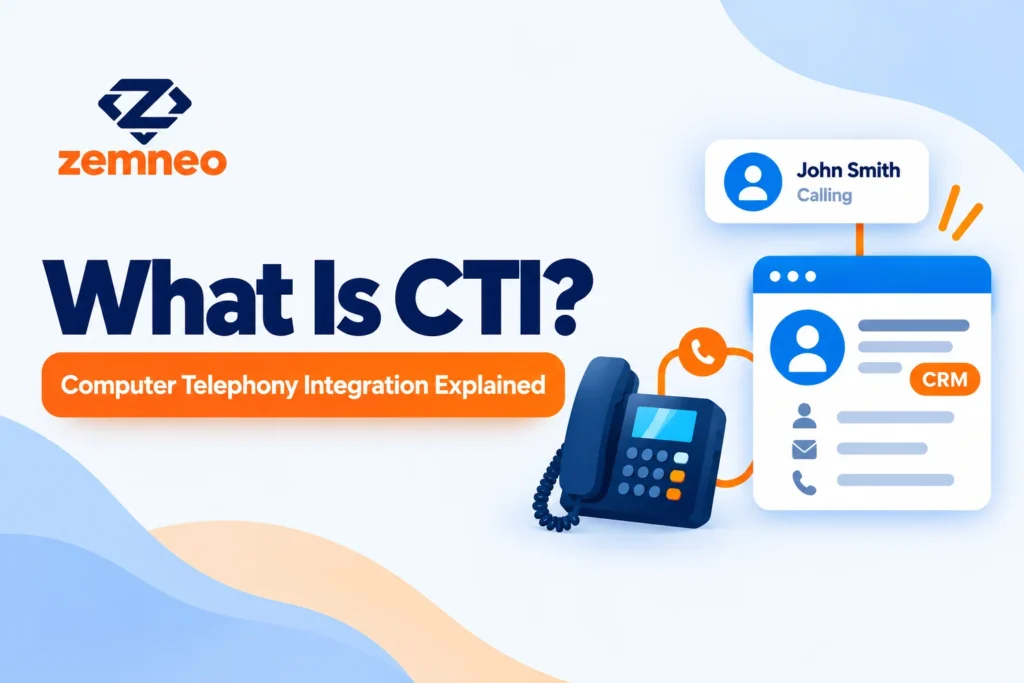
CTI stands for computer telephony integration. It connects a business phone system with software, usually a CRM, so calls and customer data work together. When a call comes in or goes out, the software shows who the caller is, logs the call automatically, and saves it to the right customer record.
That is the short definition of CTI, and it covers most of what people mean when they search for computer telephony integration. People also say “CTI telephony” or just “computer telephony” for the same idea: the phone and the computer stop working as two separate things.
Before this kind of setup, a phone was only a phone. A call ended, and whatever happened on it lived in someone’s memory or on a sticky note. Computer telephony integration gives that call a place in the customer’s history, right next to their emails, notes, and deals.
The value of computer telephony integration is not the technology itself. It is the habit it builds: every call leaves a trace that the whole team can see.
How Computer Telephony Integration Works
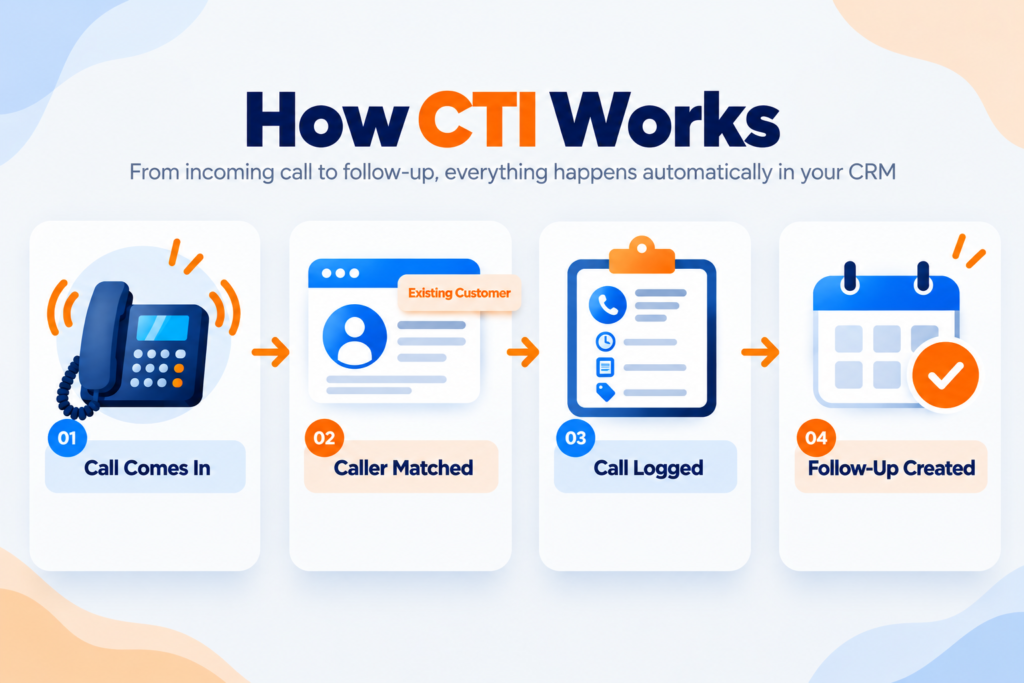
The process is simpler than it sounds. Here is what happens during a normal call.
The call reaches your phone system: Your telephony provider, the company that supplies your calling service, receives the call and passes the caller’s number to the CRM through a connection called an API.
The CRM matches the number: If the number already belongs to a lead or customer, that record opens on the agent’s screen before the agent says hello. This is called a screen pop, or caller recognition.
The agent talks with full context: Past orders, the last conversation, and open tasks are all visible. No flipping between tabs.
The call is logged automatically: Time, duration, direction (incoming or outgoing), and the agent’s name are saved without anyone typing them.
The agent records the outcome: A short note, a next step, and a follow-up task if needed.
Outgoing calls work the other way round. The agent clicks a number inside the CRM and the call starts from there, with logging switched on from the first second. That feature is called click to call.
Missed calls follow the same path. If nobody picks up, the system still logs the call against the matching record and can raise an alert. Without computer telephony integration, that missed call would show up only in one person’s phone history, if at all.
Where CTI Came From
CTI started in call centers, where agents handled hundreds of calls a day and could not ask every caller for their account details again and again. Early systems focused on sending each call to the right agent and showing basic caller information on screen.
Over time the technology moved out of large call centers. Cloud phone services and open connections between phone providers and CRMs made computer telephony integration available to much smaller teams. A five person sales team can now get the same basic benefits that once needed a dedicated telecom setup.
If you have seen the search “what is computer telephony”, this is the answer: it is the older, broader name for connecting telephone systems with computers. CTI is the shorter form, and most CRMs now use that label.
What You Can Do With CTI
Different systems offer different extras, but these are the features most teams use every day.
Automatic call logging: Every incoming and outgoing call is saved with its time, duration, and outcome.
Caller recognition: The caller’s record appears on screen as the phone rings.
Click to call: Agents call straight from a lead, contact, or account record. No manual dialing, so fewer wrong numbers.
Missed call alerts: A missed call is flagged so someone calls back, instead of the number sitting forgotten in a call history. Teams often pair this with a quick text message, which we cover in our post on CRM SMS integration.
Call recordings: When your telephony provider supports it, recordings can be linked to the customer record, which helps with training and quality checks.
Follow-up tasks: When a call ends, a task can be created for the next step, so a promise made on the phone does not depend on memory.
ZemNeo CRM’s CTI integration covers these basics. It logs incoming and outgoing calls, matches callers to existing records, flags missed calls, and lets agents place calls directly from a lead or contact record.
Is CTI Only for Call Centers?
The phrase “CTI call center” appears so often that many people assume this technology is only for large support floors. It is not. Call centers were the first users, but any team that talks to customers on the phone has the same problem: details get lost between the call and the record.
Think of a clinic front desk booking appointments, a coaching institute handling admission calls, a finance company chasing payments, or a distributor whose reps call dealers every day. None of them have rows of agents, but all of them lose information when calls are not logged.
The difference is scale. A big call center needs call queues and live wall dashboards. A small team mostly needs three things: know who is calling, log the call, and never miss a follow-up. Unanswered calls are also a quiet source of lost leads, a pattern we looked at in why small businesses lose leads.
What Each Team Gains From It
Sales reps see the customer’s history before they speak, so the conversation starts at the right point instead of the beginning.
Support agents see earlier complaints and open tasks, so customers do not have to repeat their story.
Managers can check call counts, missed calls, and who handled what, without asking each person for an update.
Business owners get a record of customer conversations that stays with the company, even when an employee leaves.
None of this needs a large budget. It comes from one change: computer telephony integration puts the call where the rest of the customer information already lives.
CTI Integration With CRM: Why the CRM Side Matters
A phone system on its own can show call history, but it knows nothing about your customer beyond a phone number. A CRM knows the deals, tasks, and notes. CTI integration with CRM is what puts both on the same screen.
Without the connection, call logs sit in the phone system, customer data sits in the CRM, and someone has to match them up by hand. With it, each call becomes part of the customer timeline automatically.
Here is a simple example. A rep opens a lead and sees that the person called twice this week and nobody called back. That detail sits next to the lead’s stage in lead management, so the rep knows this lead is warm. One click creates a callback task through task management, and the follow-up has an owner and a time.
If your team still tracks calls in a notebook or a spreadsheet, our guide on tracking sales calls without a CRM shows a stop gap method until you move to proper computer telephony integration.
What to Check Before Connecting Your Phone System
A few questions save a lot of trouble before you start computer telephony integration.
Does your telephony provider connect to your CRM? Not every provider works with every CRM. Most connect through an API, so ask your provider which systems they support. ZemNeo works with compatible telephony providers through API connections.
Are call recordings supported? This depends on the provider, not the CRM. Confirm it before you promise recordings to your team.
Who can see calls and recordings? Call data can be sensitive. Use role based access so managers see everything, while agents see only what they need.
Can you report on calls? Agent wise call counts and missed calls help managers spot gaps. Reports and dashboards make this visible without a separate spreadsheet.
Have you tested with real calls? Run a week with one small team first. Place and receive real calls, check that every call gets logged against the right record, and fix problems before rolling it out to everyone.
Mistakes That Make CTI Less Useful
Skipping the outcome note. Automatic logging records that a call happened, not what was agreed. Ask agents to add a one line outcome after each call.
Ignoring missed call alerts. If alerts go to nobody in particular, nobody acts on them. Give them an owner.
Switching it on for everyone at once. Teams that start small find problems early and fix them cheaply.
Treating it as a one time setup. Look at call reports every month. Computer telephony integration only pays off when someone reads the data.
Common Questions About CTI
Q1: What is CTI in simple words?
CTI stands for computer telephony integration. It connects your phone system to software like a CRM, so incoming and outgoing calls are recognised, logged, and linked to the right customer record automatically.
Q2: What does computer telephony integration do for a business?
It shows who is calling before the agent answers, saves call details without manual entry, and lets agents place calls from a customer record. This cuts missed details and keeps follow-ups on track.
Q3: What is the difference between CTI and a regular phone system?
A regular phone system handles calls only. A CTI setup connects those calls to customer data, so every call becomes part of the customer’s history instead of staying separate.
Q4: Is CTI only used in call centers?
No. Call centers were the first users, but clinics, schools, finance teams, and sales teams of any size use it to log calls and follow up on time.
Q5: What is CTI integration with CRM?
It is the connection between a calling system and a CRM. Calls are matched to leads or contacts, logged automatically, and can trigger follow-up tasks or alerts inside the CRM.
Q6: Can small businesses use computer telephony integration?
Yes. Cloud phone services and API connections have made it practical for small teams. Even a few people calling customers daily benefit from automatic call logs and caller recognition.
Q7: Does CTI record calls?
Recording depends on your telephony provider. When the provider supports it, recordings can be linked to the customer record inside the CRM.
Q8: Which phone systems work with CTI?
It depends on the CRM and the provider. Most connections use an API, so check which telephony providers your CRM supports. ZemNeo works with compatible providers through API connections.
Final Thoughts
At its core, computer telephony integration makes sure a phone conversation does not disappear when the call ends. The caller is recognised, the call is logged, and the next step gets an owner. For a team that lives on the phone, that is a big change from relying on memory. For a small team, computer telephony integration is no longer a large technical project. It is a connection between a phone number and a CRM, plus a few days of testing.
ZemNeo is a customizable CRM for small and growing businesses in India, the UAE, and the USA, with CTI, WhatsApp, SMS, Google Ads, and Tally integrations. If you are ready to connect your calls to your customer records, see how ZemNeo CRM handles it, or read more about our CTI CRM integration.
More Tips to Grow Your Business
- How Does School CRM Software Work? Features, Benefits & Guide
- How to Integrate Facebook and Instagram Lead Ads with ZemNeo CRM
- What Is Opportunity Pipeline Management? A Practical Guide
- How CRM SMS Integration Improves Follow-Ups With Automated Text Alerts
- What Is a CRM for Industrial Equipment Manufacturers? A Complete Guide
