How CRM SMS Integration Improves Follow-Ups With Automated Text Alerts
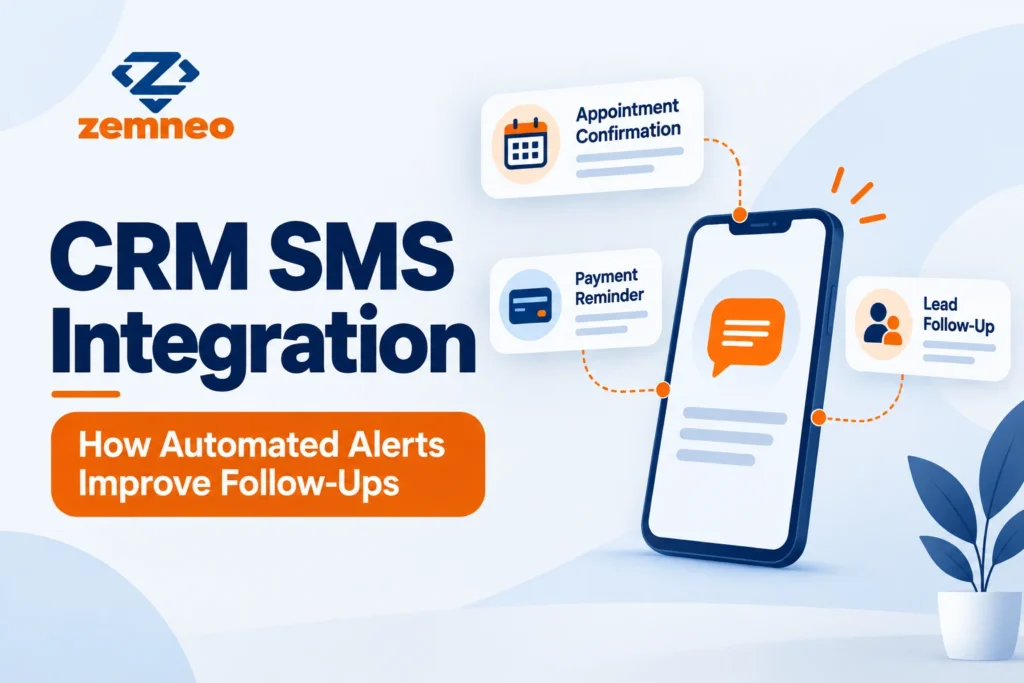
A clinic once lost a patient over a ten rupee SMS they never sent. The appointment reminder was supposed to go out the evening before, but the front desk was busy, the call list got pushed to the next morning, and by then the patient had already assumed the appointment was cancelled and booked somewhere else. Nobody did anything wrong on purpose. The system just depended on a person remembering to do one more thing at the end of a long day.
This kind of story repeats across almost every industry that depends on timing. A coaching institute forgets to remind a student about a document deadline. A retail store forgets to notify a customer that their order is ready for pickup. A finance company forgets to send a payment reminder until the due date has already passed. None of these are big failures. They are small, forgettable tasks that quietly cost a business money and trust when nobody automates them.
This is exactly the gap CRM SMS integration is built to close. In this guide, we will look at what it actually does, why text messages still work better than most other channels for time sensitive updates, and how automated alerts change the way follow-ups happen day to day.
What Is CRM SMS Integration?
CRM SMS integration connects your CRM directly to an SMS gateway, so text messages can be sent, tracked, and logged from inside the same system where you already manage leads, customers, and deals. Instead of switching to a separate phone or app to send a reminder, the message goes out automatically as part of a workflow already happening in the CRM.
Every message sent this way becomes part of the customer’s record. If a payment reminder goes out, that reminder shows up in the same timeline as every call, email, and note tied to that customer. Nothing lives in a separate, disconnected phone that only one staff member can access.
This distinction matters more than it sounds. A staff member’s personal phone full of sent messages is not searchable by the rest of the team, is not backed up anywhere reliable, and disappears the moment that employee leaves or switches roles. CRM SMS integration keeps that information exactly where the rest of the business already lives.
Why Text Messages Still Work Better Than Email or Calls
Email gets ignored. Calls get missed, especially during work hours when people cannot pick up. Text messages are different. Most people read a text within minutes of receiving it, even if they do not reply right away, and that speed matters a lot for anything time sensitive.
A payment due tomorrow, an appointment happening in an hour, or a document that needs to be submitted by end of day all need a channel that gets seen quickly. This is exactly why CRM SMS integration has become such a practical addition for businesses that depend on timing, not just for marketing, but for basic operational reminders that keep things running smoothly.
Studies on message open rates consistently show text messages getting read within minutes, while email open rates often stay well below fifty percent even after a full day. For anything genuinely time sensitive, that gap is the whole reason CRM SMS integration exists as a category in the first place.
How CRM SMS Integration Improves Follow-Ups
Follow-ups fail for a simple reason most of the time. Someone has to remember to do them, and remembering does not scale once a team is handling dozens or hundreds of leads and customers at once.
With CRM SMS integration, follow-ups stop depending on memory. A lead that has not been contacted in two days can automatically receive a message. A customer whose payment is due can get a reminder without anyone manually typing it out. A staff member who forgets to follow up on a task can get an internal alert nudging them to act.
The result is not that follow-ups become perfect. It is that they become consistent. Instead of some leads getting excellent, timely attention while others fall through the cracks depending on how busy the office was that day, every lead gets the same baseline level of follow-up, automatically.
Consistency compounds over time in a way that is easy to underestimate. A single missed reminder feels minor. A hundred missed reminders across a busy month, spread across dozens of customers, is a meaningful amount of lost revenue and lost trust that nobody ever sees clearly on a spreadsheet, because it never gets counted as a single event.
What You Can Actually Send Through CRM SMS Integration
It helps to know what this actually covers in practice, since the phrase can sound vague until you see real examples.
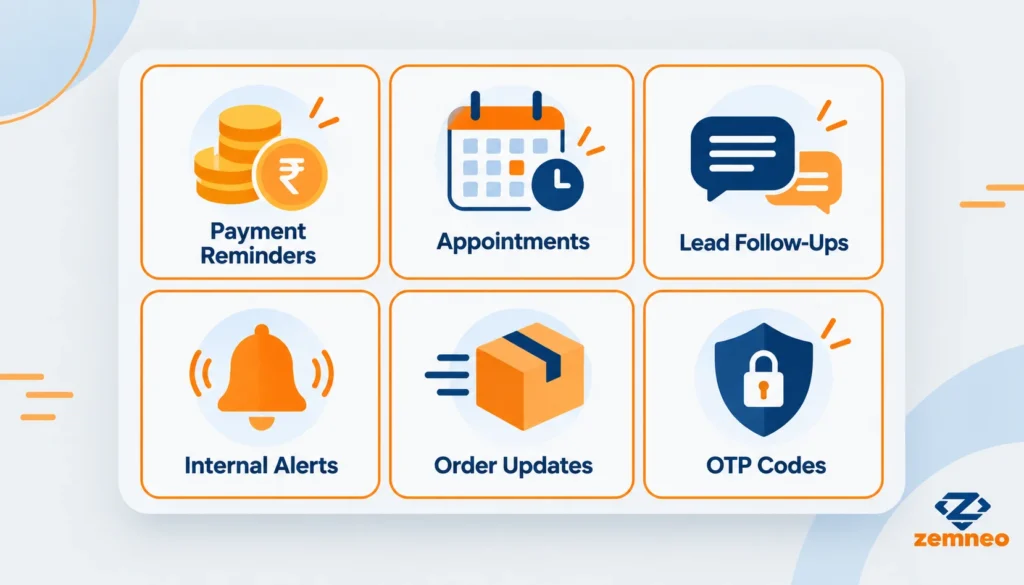
Payment reminders. A message goes out automatically a day or two before a due date, and again if the payment is still pending afterward.
Appointment confirmations. Clinics, salons, and consultants can confirm bookings instantly and send a reminder the day before, cutting down on no shows.
Lead follow-up messages. A new inquiry gets an instant acknowledgment, so the person knows their message was received, while a counselor or sales rep prepares a proper follow-up call.
Internal team alerts. Staff can get a text when a task becomes overdue or when a high priority lead comes in, even if they are not sitting at their desk checking the CRM.
Order and delivery updates. Customers can receive a short update when an order status changes, without anyone needing to make a phone call for something that simple.
One time passwords and verification codes. Since SMS works even without an internet connection, it remains one of the most reliable channels for anything that needs instant delivery.
None of these examples need a separate app or a second login for staff to manage. They all run through the same CRM your team already checks every day, which is a big part of why adoption tends to be easy once the first message type is set up correctly.
How Automated Text Alerts Work Behind the Scenes
CRM SMS integration connects CRM workflows directly to an SMS gateway. When something happens inside the CRM, a new lead comes in, a task becomes due, a payment date approaches, that event automatically triggers a message through the connected SMS provider.
The delivery status gets logged automatically too. If a message failed to send, that shows up in the record instead of silently disappearing. The message itself appears in the customer’s timeline, right alongside their calls and emails, so anyone reviewing that account later sees the complete picture, not just half of it.
This is different from a person manually opening a phone and typing a message every time something needs to go out. The trigger and the message both happen inside the same system that already knows the deadline, the customer’s details, and what stage they are at.
Is CRM SMS Integration Different From Regular Bulk SMS Tools?
This is a fair question, since bulk SMS tools have existed for a long time and businesses already use them for marketing blasts. The difference comes down to context and tracking.
A bulk SMS tool sends messages to a list. It rarely knows who replied, whether that person is an active lead, or what stage they are at in your sales process. CRM SMS integration works differently because every message is tied to an actual customer record inside the CRM. A message is not just sent, it is logged against that specific person, alongside their full history with your business.
This matters most when something goes wrong or needs a follow-up. If a customer replies to a text asking a question, a team member working from the CRM record can see that reply in context, instead of digging through a separate messaging app trying to remember who that number belongs to.
There is also a practical difference in how the two get used over time. A bulk SMS list tends to grow stale, filled with numbers nobody remembers collecting or why. A CRM linked system stays accurate automatically, since every number is tied to an actual customer or lead record that gets updated as part of normal daily work, not a separate list someone has to maintain on the side.
What to Look For in SMS CRM Software
Not every system that claims to offer texting does it in a way that actually helps day to day work. A few things are worth checking.
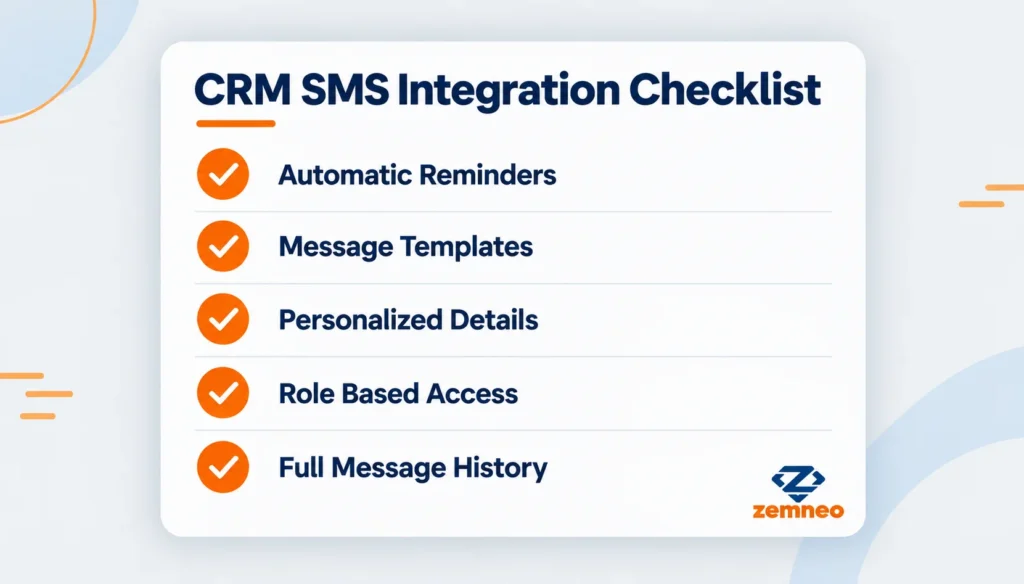
Message templates. Predefined templates for common messages, like payment reminders or appointment confirmations, save time and keep wording consistent across the whole team instead of everyone typing their own version.
Personalization. A message should be able to pull in the customer’s name, amount due, or appointment time automatically, rather than sending a generic message that feels like it was sent to everyone at once.
Role based access. Not everyone on a team should be able to send messages to every customer. Role based access controls who can send, view, or manage SMS activity, keeping communication accountable.
Message history tied to the customer record. Every text should be timestamped and linked to the right customer automatically, so there is a full record for reviews or audits later.
Automation tied to real CRM events. The best setups connect SMS sending to actual automation rules, so messages go out based on real triggers, like a new lead or a due task, not just on a fixed schedule.
ZemNeo’s own SMS integration was built around exactly these needs, combining automated alerts with full message history and role based permissions inside one CRM.
Price and setup effort are worth weighing too, but they should come after these basics, not before. A cheap tool that skips message history or personalization ends up costing more in lost trust and manual cleanup than it saves in monthly fees.
Getting Started With CRM SMS Integration
Setting this up does not need to be complicated, especially if you start with the messages that already matter most to your business.
Start with your most common reminder. Whether that is payment due dates or appointment confirmations, pick the single message your team already sends manually the most, and automate that one first.
Set up a basic template. Keep the wording simple and clear, and make sure it pulls in the right customer details automatically instead of staying generic.
Connect it to an existing workflow. Tie the message to something that already happens in your CRM, like a lead stage change or a due date, rather than creating an entirely separate process to manage.
Review what gets sent for the first few weeks. Check the message history regularly at first to confirm timing and wording are working the way you expected, then adjust before expanding to more message types.
If you want to see how this fits into a broader approach to following up with leads, our post on why small businesses lose leads is a useful companion read.
Most teams find that once the first automated message is running smoothly for a few weeks, adding a second and third message type takes far less effort, since the setup pattern is already familiar and the team already trusts that the system works as expected.
Common Mistakes to Avoid
Sending too many messages. Automation makes it easy to message often, but customers tune out quickly if every alert feels unnecessary. Stick to messages that genuinely help the customer.
Using generic, unpersonalized text. A message that does not include the customer’s name or relevant details feels like spam, even if it comes from a legitimate business.
Not checking delivery status. A failed message that nobody notices defeats the entire purpose. Regularly reviewing delivery logs catches this before it becomes a pattern.
Treating SMS as separate from the rest of the CRM. If text messages live in a completely different tool from calls and emails, the team loses the full picture of a customer relationship all over again, which is the exact problem CRM SMS integration is meant to solve.
Forgetting to plan for opt outs. Customers should always have a simple way to stop receiving non essential messages, and respecting that request quickly protects both trust and, in many regions, legal compliance around messaging.
Final Thoughts
CRM SMS integration is not about sending more messages. It is about making sure the messages that actually matter, a payment reminder, an appointment confirmation, a quick acknowledgment to a new lead, go out on time without depending on someone remembering to do it manually. For businesses juggling dozens of customers a day, that consistency is often the difference between a smooth operation and one where things quietly slip through the cracks.
ZemNeo’s SMS integration brings this directly into the CRM, so every text sent stays connected to the customer record it belongs to, alongside calls, emails, and every other part of that relationship.
FAQ’s: Common Questions About CRM SMS Integration
Q1: What is CRM SMS integration used for?
It connects your CRM to an SMS gateway, so reminders, alerts, and updates can be sent automatically and logged directly inside the customer’s record.
Q2: Does CRM SMS integration work without internet access?
Yes. Text messages deliver over the standard mobile network, so they reach customers even when they have no internet connection.
Q3: Can messages be personalized with customer details automatically?
Yes. A good system pulls in details like the customer’s name, amount due, or appointment time automatically, instead of sending a generic message to everyone.
Q4: Is CRM SMS integration the same as a bulk SMS marketing tool?
No. Bulk SMS tools send to a list with little tracking. CRM SMS integration ties every message to a specific customer record, with full history and context.
Q5: Can text messages be triggered automatically by CRM events?
Yes. A new lead, a due task, or an approaching deadline can all trigger an automatic message without anyone manually typing it out.
Q6: Who can send messages through the CRM?
Access is usually controlled through role based permissions, so only authorized team members can send, view, or manage SMS activity for a given account.
Q7: What happens if an automated text fails to deliver?
A properly built system logs delivery status, so a failed message shows up in the record instead of disappearing without anyone noticing.
Q8: Can small businesses use CRM SMS integration, or is it only for large teams?
Small businesses often benefit the most, since they usually have fewer staff members available to manually send reminders to every customer.
Q9: How is a text message different from an email for time sensitive updates?
Most people read a text within minutes, while emails often sit unread for hours or longer, which makes SMS more reliable for anything urgent.
Q10: Where can I see the history of messages sent to a customer?
Every message should appear directly in that customer’s timeline inside the CRM, alongside their calls, emails, and other notes.
More Tips to Grow Your Business
- How to Improve Sales Performance: 15 Tips for Better Sales Results
- Zemneo CRM or Salesforce CRM: Which Fits Your Business Better?
- What Is the Primary Objective of the CRM Process? 7 Benefits
- ZemNeo CRM vs Zoho CRM: Which Is Better for Indian SMBs?
- What is Customer Master Data Management? Explained: 7 Powerful Benefits