What Is a College CRM? Features, Uses and How It Works
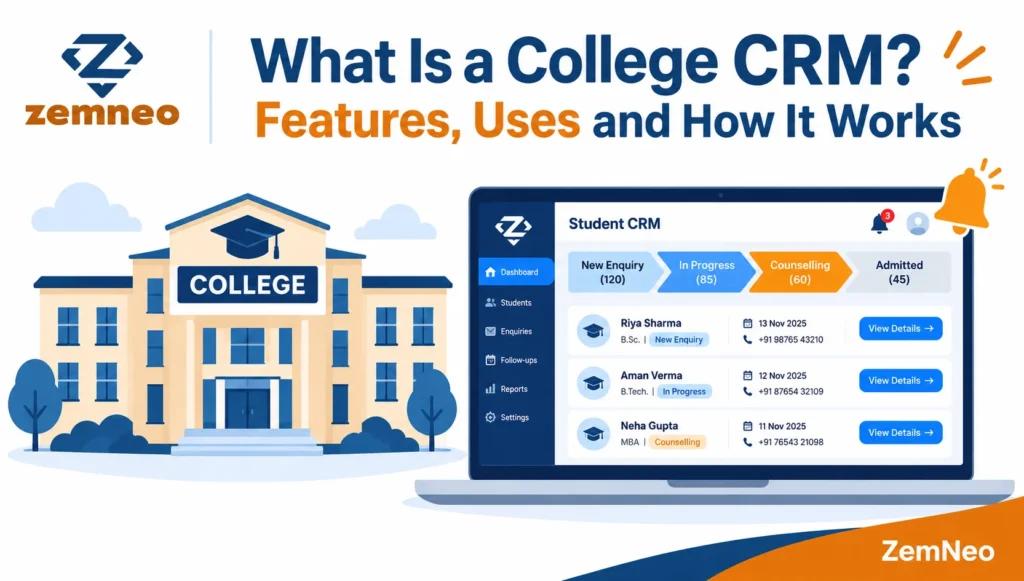
A college CRM is software that keeps every enquiry, application, conversation and follow up for each student in one place. Admission counselors use it to respond faster, track students from first contact to enrollment, and stop leads from slipping away between phone calls, forms and spreadsheets.
Picture a busy admission season. A parent calls about fees, a student messages on WhatsApp about the MBA course, and three more fill the website form that evening. Each one needs a reply, and each lands with a different staff member. A college CRM gives your team a shared record for all of them. In this guide, we explain what a college CRM is, how it works step by step, the features that matter, and how to pick one. We also show how ZemNeo fits in.
What is a college CRM?
CRM stands for customer relationship management. In business, it tracks customers. In a college, the “customer” is a prospective student, an applicant or a parent. So the system stores who they are, which course they asked about, who spoke to them and what should happen next.
You will hear different names for the same idea. Some people say educational CRM. Others say admissions CRM or enrollment CRM. The labels change, but the job is the same: help the college respond faster and keep better records.
It is not a student information system or a learning platform. Those manage students after they join. A CRM works before and during admission, when the college is still trying to win the student.
How a college CRM works
The flow is simple once you see it in order.
- An enquiry arrives. It may come from a website form, a social ad, WhatsApp, a call or a walk in.
- The CRM creates a record. Name, phone, course interest and source are saved automatically.
- A counselor is assigned. The student goes to the right person, based on course, campus or workload.
- Follow ups are scheduled. The counselor gets a task and a reminder.
- The student moves through stages. For example: enquiry, counseling, documents, application, interview and enrollment.
- Messages go out on time. Reminders for documents, interviews and fees are sent by WhatsApp, SMS or email.
- Managers see the numbers. Reports show how many students sit at each stage and where they drop off.
Nobody has to remember who called whom. The system remembers. In ZemNeo, for example, step 3 can follow rules such as course, campus or counselor workload, so a new student never waits for a manager to hand out the lead. This is the daily rhythm behind every good CRM college admissions setup: capture, assign, remind, track.
Key features of a college CRM
Features vary between tools. These are the ones that decide if counselors actually use the system.
Lead capture from every channel
Enquiries from forms, ads, WhatsApp, calls, walk ins and events should flow in automatically. If staff must type each one by hand, the system will not last a month. Our guide on connecting Facebook Lead Ads to a CRM shows how ad enquiries reach the CRM without a spreadsheet in between.
Student sorting
You should be able to group students by course, campus, academic level, source and student type. That makes it easy to send a message only to BBA applicants, or to see all enquiries from one city.
Admission stage tracking
Every student sits at a stage, and the CRM shows it clearly. A good admissions CRM also tells counselors what the next action is, so students do not stall quietly.
Counselor tasks and history
Each counselor sees assigned students, pending follow ups and the full conversation history. Managers can see who has too much on their plate. This ties in with how to keep track of team tasks and avoid missed deadlines, which applies to any team.
Communication tools
WhatsApp, SMS and email should work from inside the CRM, with templates for common messages. Parents and students prefer a quick WhatsApp over a long email, so this matters in India. ZemNeo sends WhatsApp, SMS and email from the same screen the counselor already uses.
Reports and dashboards
Look for simple reports on enquiry sources, counselor activity, course interest and follow up quality. Our post on reports and dashboards explains how to read them.
Access control
Student records are private. The CRM should let you decide who sees what across departments and campuses, and keep a log of changes.
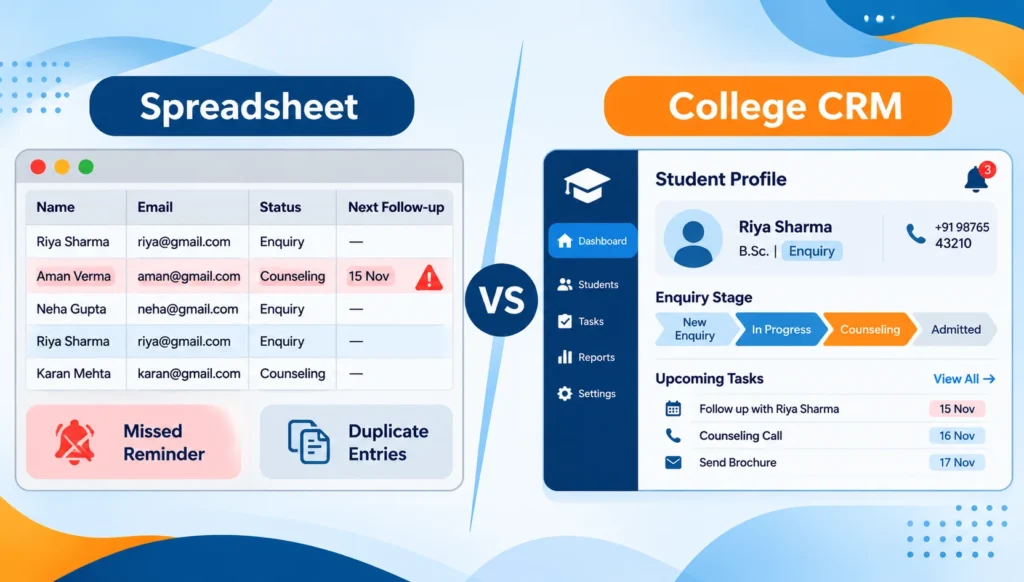
College CRM vs spreadsheets
Most colleges start with Excel or Google Sheets. It works for a while. Then it stops working.
| Spreadsheets | College CRM | |
|---|---|---|
| Enquiry capture | Typed by hand | Automatic from forms, ads and WhatsApp |
| Follow up reminders | Personal phone or memory | Tasks and alerts for each counselor |
| Student history | Scattered across sheets | One record per student |
| Duplicates | Common | Caught and merged |
| Reporting | Built by hand each month | Live reports |
| Staff changes | History leaves with the person | History stays |
A sheet is fine for fifty enquiries. At five hundred, it hides more than it shows.
What colleges use a CRM for
Admissions are the main use, but not the only one.
- Admission management. This is where CRM college admissions teams get the most value: every enquiry tracked through to enrollment.
- Student recruitment. Track school visits, education fairs and referral partners, and see which ones bring real applicants.
- Events and open days. Capture attendees, send reminders and follow up within a day.
- Parent communication. Keep a record of what parents were told about fees, hostel and scholarships.
- Alumni outreach. Some colleges keep alumni records in the same system for events and referrals.
Start with admissions, then add the rest when the team is comfortable.
Admissions CRM: the part colleges use most
Admissions is where most colleges start, so many people use “admissions CRM” and “college CRM” as if they meant the same thing. An admissions CRM focuses on one journey: enquiry, counseling, documents, application, interview and enrollment. Counselors live in this view every day.
For CRM college admissions teams, the biggest wins are small and daily. A reply goes out within minutes. A document reminder goes out on the right day. A manager sees that 30 students are stuck at the documents stage and acts that same afternoon. None of this needs a big project. It needs one shared record and clear stages. When the season ends, the same records show which sources, courses and counselors did best, which helps you plan the next intake.
Benefits of using a college CRM
- Every enquiry lands in one place, so none are lost.
- Counselors follow up on time because reminders are automatic.
- Parents get consistent answers, since the full history is visible to everyone.
- Managers see where students drop off and fix that step.
- Leaders learn which ads, events and referrals bring real applicants.
These are the same benefits of CRM in higher education that large universities talk about, and they apply just as well to a small private college.
How to choose a college CRM
Feature lists look similar, so judge any admissions CRM on daily use. Ask these questions.
- Does it fit our admission stages? You should be able to rename stages and fields to match how your team works.
- Does it connect to our channels? WhatsApp, SMS, lead forms and calls should connect without extra tools.
- Is it easy enough for counselors? If it takes ten clicks to log a call, they will skip it.
- Can we control who sees what? Student data is sensitive, and role based access is not optional.
- Can managers see clear reports? Sources, stages and counselor activity should be easy to find.
- Will it suit our size? This is not only for large universities. A team of five counselors gains just as much.
Mistakes to avoid
Importing messy data. Clean duplicates and fix phone numbers first. Our guide on organizing customer data shows how.
Skipping training. One hour with counselors on the screens they use daily is better than a full day on features they never touch.
Doing everything manually. Reminders and status updates can run on simple rules. Our explainer on CRM workflow automation shows how.
Giving everyone full access. Limit access by role from the start.
Buying too much. An admissions CRM with fifty features and no adoption is worse than a simple one that counselors open every day.
How ZemNeo works as a college CRM
ZemNeo’s education CRM is built for schools, colleges and edtech businesses. It brings every student journey into one platform. Here is what it covers, based on what the product offers.
- Lead management that captures enquiries from website forms, social ads, WhatsApp, calls, walk ins, events and referrals into one system.
- Student sorting by program, campus, academic level, source and student type.
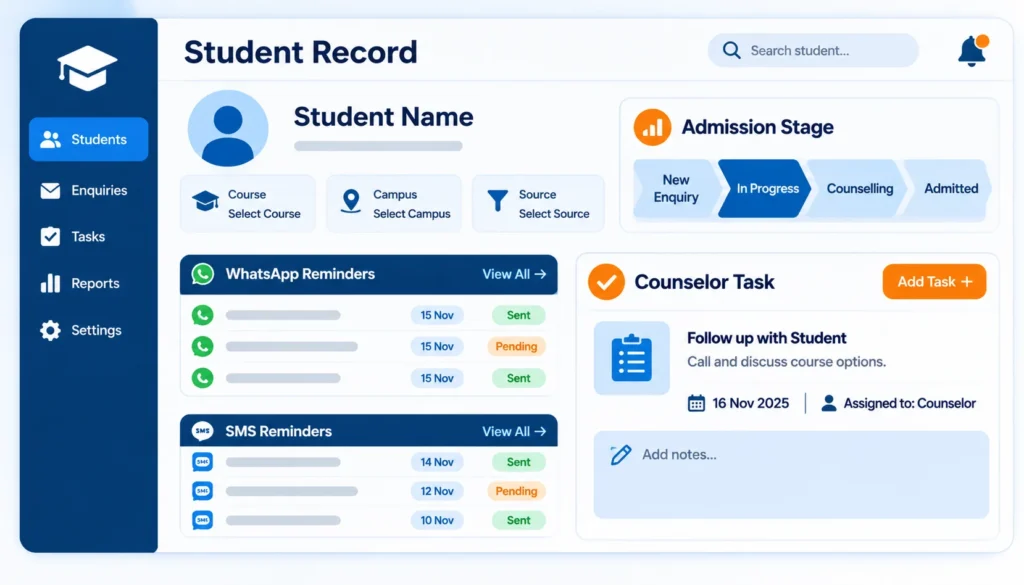
- Admission tracking across enquiry, counseling, documents, application, interview and enrollment.
- Communication through WhatsApp, email, SMS and in app notifications, with reminders for documents, interviews and fees.
- Counselor tasks with assigned students, daily activities and full history.
- Performance insights on inquiry sources, counselor activity, course interest and branch comparisons.
It also connects with the channels admission teams already use, such as the WhatsApp CRM integration and the SMS integration. Because everything sits under one roof, lead management and follow ups do not need a second tool. For security, ZemNeo offers role based access and activity logs, so student records stay with authorized staff.
Final thoughts
A CRM for colleges does one thing well: it makes sure no student enquiry is lost or forgotten. Start with admissions, list your stages, connect your lead sources and give counselors a simple screen to work from. Whichever admissions CRM you pick, test it with real enquiries before you commit. If you want a college CRM that you can shape to your own admission process, ZemNeo is worth a look. See the details on the education CRM page, or book a demo from the homepage.
Frequently asked questions
1. What is a college CRM?
A college CRM is software that stores every enquiry, application and conversation for each student in one place, so admission teams respond faster and track students through to enrollment.
2. How does a college CRM work?
It captures enquiries from forms, ads and calls, creates a record, assigns a counselor, schedules follow ups, tracks the admission stage and sends reminders.
3. What is an admissions CRM?
An admissions CRM is a CRM focused on moving applicants through the admission process, from first enquiry to enrollment. It is often the main part of a college CRM.
4. What is the difference between a CRM and a student information system?
A CRM manages prospective students before and during admission. A student information system manages enrolled students, such as attendance and grades.
5. Do small colleges need a CRM?
Yes. Even a few counselors can lose track of enquiries without one shared system. ZemNeo is built to suit small and growing teams, not only large universities.
6. Can a college CRM send WhatsApp and SMS reminders?
Yes, when the CRM supports those channels. ZemNeo sends WhatsApp, SMS and email reminders for documents, interviews and fee updates.
7. Is student data safe in a CRM?
It can be, if the CRM has role based access and activity logs. Always check who can see and export records before you choose one.
8. How long does it take to set up an admissions CRM?
A basic setup with stages and lead sources can be ready in days. Most of the time goes into cleaning existing data and training counselors.
Latest posts from ZemNeo
- How Call Center CTI and Contact Center CTI Work: Features and Benefits
- How to Connect Facebook Lead Ads to a CRM: Zoho, ActiveCampaign and ZemNeo Compared
- What Is a Client Reporting Dashboard? Examples and How to Build One
- How to Manage Sales Opportunities in CRM: A Step-by-Step Guide
- Smart Inventory Management Software: A Practical Guide for Growing Businesses