
How to Integrate Inventory Systems with CRM: A Complete Guide
How to Integrate Inventory Systems with CRM
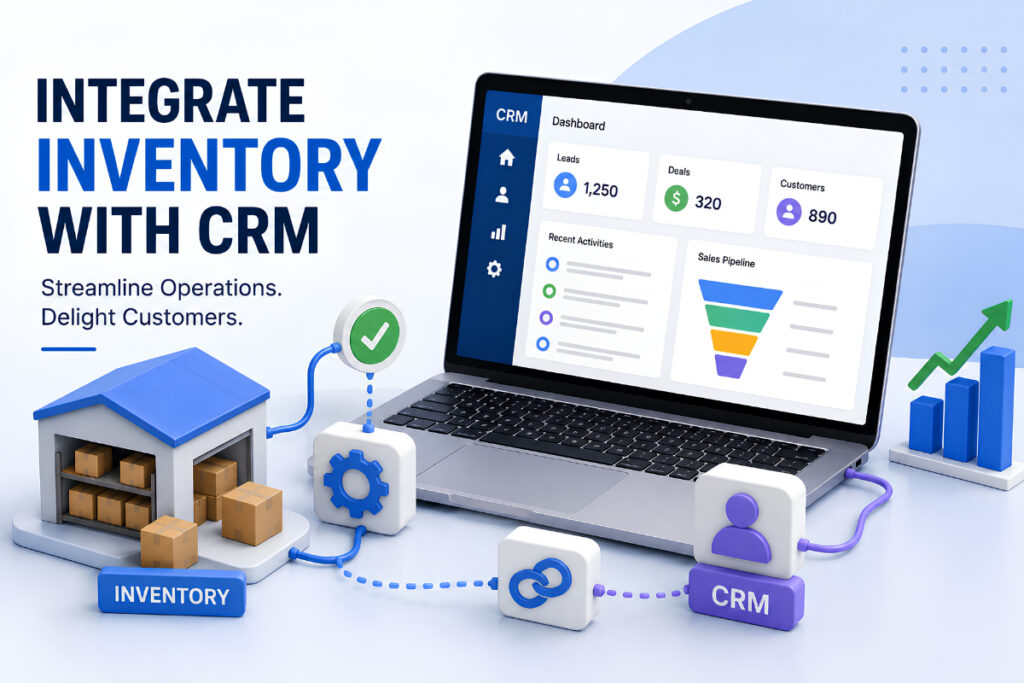
How to integrate inventory systems with CRM is an important question for businesses that manage both customer relationships and physical products.
A CRM helps sales teams manage leads, customers, deals, follow-ups, and communication. An inventory system manages products, stock levels, warehouses, purchase orders, and sales orders.
When these systems work separately, teams often have to check multiple platforms to know whether a product is available. This can lead to incorrect quotes, delayed orders, stockouts, and unnecessary manual work.
By connecting your CRM with your inventory system, sales and operations teams can work with more accurate information. Sales representatives can check product availability, understand order status, and give customers better delivery information.
In this guide, we will explain how to integrate inventory systems with CRM, what data should be synchronized, which integration methods you can use, and how to avoid common problems.
What Is CRM and Inventory Integration?
CRM and inventory integration means connecting your customer management system with your inventory or ERP system so important information can move between them automatically.
For example, when a customer places an order, the CRM can send the order information to the inventory system. The inventory system can then update stock and send the latest order status back to the CRM.
A simple workflow can look like this:
Customer → Sales Team → CRM → Inventory System → Order Fulfillment → CRM → Customer
This creates a connected sales process instead of keeping customer and inventory information in separate systems.
Information that can be connected includes:
- Customer details
- Product information
- SKU numbers
- Stock quantities
- Product prices
- Sales orders
- Purchase orders
- Order status
- Shipment information
- Delivery dates
- Returns
- Low-stock alerts
The exact data depends on your business and the systems you use.
Why Should You Integrate Inventory Systems with CRM?
A disconnected CRM and inventory system can create problems for sales and operations teams.
A salesperson may tell a customer that a product is available, while the warehouse has already allocated the remaining stock to another order.
Integration helps reduce these problems by giving teams access to connected information.
1. Better Inventory Visibility
Sales teams can see current stock information without contacting the warehouse every time.
This makes it easier to answer questions such as:
- Is this product available?
- How many units are left?
- Which warehouse has the product?
- When will new stock arrive?
- Is the product already reserved?
Better visibility helps sales representatives make more accurate commitments.
2. Fewer Manual Data Entries
Without integration, employees may need to enter the same customer or order information into two different systems.
This takes time and increases the chance of errors.
With automation, information can move between systems without repeated manual entry.
3. Improved Customer Service
Customers want clear information about products and orders.
When CRM and inventory data are connected, support and sales teams can quickly check order status and provide more accurate updates.
4. Better Order Management
A connected workflow can move information from a sales opportunity to a quotation and then to an order.
The inventory system can process the order while the CRM continues tracking the customer relationship.
5. More Accurate Business Decisions
Managers can combine customer and inventory information to understand which products are selling, which customers are buying, and where stock problems are occurring.
How to Integrate Inventory Systems with CRM
There are several ways to connect a CRM with an inventory management system. The right option depends on your software, budget, technical requirements, and business size.
Here is a practical step-by-step approach.
Step 1: Identify Your Current Systems
First, identify which CRM and inventory systems your business is using.
For example, you may have:
- A CRM for sales and customer management
- An ERP for inventory and accounting
- An ecommerce platform for online orders
- A separate warehouse management system
- An accounting platform
Make a simple list of all systems that need to share information.
This will help you understand the complete data flow before starting the integration.
Step 2: Decide Which System Owns the Data
One of the most important steps is deciding where each type of information should be managed.
For example:
| Data | Recommended Master System |
|---|---|
| Leads | CRM |
| Contacts | CRM |
| Customer communication | CRM |
| Opportunities | CRM |
| Products | Inventory/ERP |
| Stock levels | Inventory/ERP |
| Warehouse locations | Inventory/ERP |
| Purchase orders | Inventory/ERP |
| Sales orders | CRM/ERP depending on workflow |
| Financial transactions | Accounting/ERP |
This prevents conflicting information.
For example, if the inventory system is the source of truth for stock, employees should not manually change stock quantities inside the CRM.
Step 3: Choose the Integration Method
The next step is selecting how the systems will communicate.
There are three common options.
Native Integration
Some CRM and inventory platforms provide built-in integrations.
This is usually the easiest option because the connection has already been developed by the software providers.
Native integration can be a good choice for small and medium-sized businesses that use compatible platforms.
Integration Platforms
If there is no direct connection, you can use middleware or an integration platform.
These tools can connect multiple applications and automate workflows.
For example:
CRM → Integration Platform → Inventory System
You can create rules such as:
When a sales order is confirmed, send the customer and product information to the inventory system.
This approach can be useful when a business has multiple applications.
API Integration
Businesses with specific requirements can use APIs to create a custom connection.
An API allows two software systems to exchange information programmatically.
For example:
CRM API → Custom Integration → Inventory API
Custom API integration provides more control but usually requires development and ongoing maintenance.
Step 4: Decide What Data Should Be Synchronized
You do not necessarily need to synchronize everything.
Start with the information that directly affects your sales and inventory workflow.
Important data may include:
Product Data
- Product name
- SKU
- Product ID
- Price
- Product category
- Availability
Inventory Data
- Available quantity
- Reserved quantity
- Warehouse
- Reorder level
- Expected stock
Customer Data
- Customer name
- Phone
- Billing information
- Shipping information
Order Data
- Order number
- Customer
- Product
- Quantity
- Price
- Order status
- Delivery information
Only synchronize the data that has a clear business purpose. This keeps the integration easier to manage.
Step 5: Create the Sales-to-Inventory Workflow
Once the systems are connected, define what should happen when a customer moves through the sales process.
For example:
Lead → Opportunity → Quote → Confirmed Order → Inventory Allocation → Shipment → Completed Order
Suppose a sales representative creates a quote for 20 units.
The CRM can check inventory availability before the quote is confirmed.
After the customer accepts the quote, the order can be sent to the inventory system.
The inventory system can then:
- Check available stock.
- Reserve the required quantity.
- Create or update the sales order.
- Start fulfillment.
- Update shipment information.
- Send the status back to the CRM.
This reduces unnecessary manual communication between sales and warehouse teams.
Step 6: Set Up Real-Time or Scheduled Synchronization
Not every business needs real-time synchronization.
You can choose between:
Real-Time Sync
Information is updated immediately when something changes.
This can be useful for:
- Fast-moving inventory
- Ecommerce businesses
- Multiple sales channels
- Limited-stock products
Scheduled Sync
Data is synchronized at specific intervals, such as every 15 minutes, every hour, or once a day.
This may be enough for businesses where inventory changes are less frequent.
The correct choice depends on how quickly your inventory changes and how important real-time information is.
Step 7: Test the Integration
Before using the integration in your live environment, test different situations.
Test normal workflows as well as errors.
For example:
- Product is available
- Product is out of stock
- Product has limited stock
- Customer places multiple orders
- Order is cancelled
- Customer requests a return
- Product price changes
- Stock is transferred between warehouses
- API connection fails
- Duplicate order is created
Testing helps identify problems before they affect customers.
Key Data to Sync Between CRM and Inventory Systems
A successful integration depends on clean and consistent data.
Product Information
Product IDs and SKU numbers should be consistent between systems.
If the CRM calls a product SKU-1001 while the inventory system uses another identifier, synchronization problems can occur.
Stock Availability
The CRM should receive the inventory information needed by sales teams.
This may include:
- Available stock
- Reserved stock
- Incoming stock
- Warehouse stock
- Backordered quantity
Customer Information
Customer information can be shared between the systems so employees do not have to enter the same details repeatedly.
Order Information
Orders are one of the most important areas of integration.
The order should contain enough information for the inventory system to process it correctly.
This may include:
- Customer ID
- Product ID
- Quantity
- Price
- Tax
- Shipping address
- Payment status
- Requested delivery date
Benefits of CRM and Inventory Integration
Connecting CRM and inventory systems can provide several business benefits.
Improved Sales Accuracy
Sales representatives can make decisions based on current product information instead of assumptions.
Reduced Stockouts
Better visibility can help businesses identify low stock earlier and avoid selling products that are unavailable.
Faster Order Processing
Orders can move automatically from sales to fulfillment, reducing unnecessary delays.
Better Customer Experience
Customers can receive more accurate information about availability, shipping, and delivery.
Reduced Operational Costs
Automation reduces repetitive data entry and manual reconciliation.
Better Forecasting
Sales pipeline information can provide useful demand signals for inventory planning.
For example, if several large opportunities are likely to close, the operations team can prepare for increased demand.
Common CRM and Inventory Integration Methods
Businesses generally use one of these approaches:
| Integration Method | Best For | Complexity |
|---|---|---|
| Native Integration | Compatible software | Low |
| Middleware/iPaaS | Multiple systems | Medium |
| API Integration | Custom workflows | High |
| ERP + CRM Integration | Larger organizations | Medium–High |
| Custom Middleware | Complex operations | High |
There is no single solution that works for every business.
A small business may only need a native connector, while a larger company with CRM, ERP, ecommerce, warehouse, and accounting platforms may require middleware or custom APIs.
Best Practices for Inventory and CRM Integration
Keep Data Clean
Before integration, remove duplicate products, customers, and outdated records.
Bad data will create bad results even when the integration itself works correctly.
Use Unique IDs
Products and customers should have reliable identifiers.
SKU and customer IDs can help systems match records correctly.
Define Data Ownership
Clearly decide which system controls each type of information.
This prevents conflicts and accidental overwriting.
Start Small
Do not connect every system and every workflow on the first day.
Start with an important workflow, such as:
CRM Order → Inventory System → Order Status
Once this works correctly, expand the integration.
Monitor Errors
Your integration should provide a way to identify failed transactions.
For example, if an order cannot be sent to the inventory system, the responsible team should receive an alert.
Protect Customer Data
Use secure authentication and encrypted communication when exchanging customer and business information.
Access should also be limited based on employee roles.
Common Challenges When Integrating CRM With Inventory
Integration can improve business operations, but it also comes with challenges.
Inconsistent Data
Different product names, SKUs, or customer IDs can cause synchronization problems.
Solution: Clean and standardize data before integration.
Duplicate Records
The same customer or order may accidentally be created more than once.
Solution: Use unique IDs and duplicate-checking rules.
Integration Failures
API errors, server problems, or expired authentication can stop synchronization.
Solution: Use error notifications, retry mechanisms, and integration logs.
Outdated Inventory Data
If inventory information is updated only once a day, sales teams may see old stock information.
Solution: Use real-time synchronization when the business requires current inventory data.
Overcomplicated Workflows
Trying to automate every process at once can make the system difficult to maintain.
Solution: Start with simple, high-value workflows and expand gradually.
How CRM Can Improve Inventory Planning
CRM data is not only useful for sales.
It can also help businesses understand future demand.
For example, imagine a company has 100 units of a product in stock.
The CRM shows that several large customers are currently in the final sales stage.
This information can help the operations team prepare for potential demand.
A connected system can provide a better view of:
- Current stock
- Sales pipeline
- Previous orders
- Customer demand
- Upcoming orders
- Reorder requirements
This creates better coordination between sales and operations.
CRM and Inventory Integration for Small Businesses
Small businesses do not always need a complex enterprise integration.
A simple setup can be enough.
For example:
CRM → Inventory System → Accounting
The CRM manages leads, customers, and sales activities.
The inventory system manages products and stock.
The accounting system manages invoices and financial information.
As the business grows, additional integrations can be added for ecommerce, shipping, marketing, or warehouse operations.
The key is to build a system that can grow with the business.
How to Choose the Right CRM for Inventory Integration
When selecting a CRM, look beyond basic contact management.
Check whether it supports:
- Inventory integrations
- Product management
- Sales orders
- API access
- Webhooks
- Workflow automation
- Third-party integrations
- Custom fields
- Reporting
- Role-based permissions
- Mobile access
- Multi-location workflows
You should also consider how easy the system is for your sales team to use.
A powerful system is not useful if employees find it difficult to manage.
For businesses that want customer management, sales tracking, workflow automation, and better visibility in one place, a solution such as ZemNeo CRM can be considered as part of the CRM strategy.
A Simple CRM Inventory Integration Example
Consider a wholesale business that sells electronic products.
A customer contacts the sales team and wants 50 units of a product.
The sales representative opens the CRM and checks product availability.
The CRM shows that:
Available stock: 65 units
The salesperson creates a quotation for 50 units.
When the customer accepts the quotation, the order is sent to the inventory system.
The inventory system reserves 50 units.
The CRM then receives the updated order status.
The warehouse prepares the order and ships it.
Finally, the shipment status is updated in the CRM.
The entire process is connected.
Without integration, employees may need to send emails, update spreadsheets, call the warehouse, and manually update the CRM.
With integration, much of this work can happen automatically.
CRM Inventory Integration Checklist
Before launching your integration, use this checklist:
- Identify all systems
- Decide which system owns each type of data
- Clean customer and product data
- Standardize SKUs
- Choose an integration method
- Define data fields
- Create synchronization rules
- Define error handling
- Test the integration
- Train employees
- Monitor synchronization
- Review performance regularly
Following these steps can make implementation more organized and reduce unexpected problems.
FAQs
Can a CRM integrate with an inventory management system?
Yes. Many CRM platforms can connect with inventory systems through native integrations, middleware, or APIs. The best method depends on the software you already use and your business requirements.
What information should be synced between CRM and inventory?
Common information includes product details, SKU numbers, stock availability, customer information, sales orders, order status, shipment details, and delivery information.
Do I need an ERP to connect CRM and inventory?
No. An ERP is not always required. A CRM can connect directly with an inventory platform if both systems support a suitable integration method.
Is real-time inventory synchronization necessary?
Not always. Real-time synchronization is useful for businesses where stock changes quickly or where customers need immediate availability information. Businesses with slower inventory movement may be able to use scheduled synchronization.
Can CRM integration reduce inventory errors?
Yes. Automation can reduce duplicate data entry and improve consistency between sales and inventory records. However, accurate results still depend on clean data and correctly configured workflows.
How long does CRM inventory integration take?
The timeline depends on the systems, number of workflows, data quality, and integration method. A simple native integration may be relatively quick, while a custom API integration can require significantly more planning and development.
Final Thoughts
Learning how to integrate inventory systems with CRM can help businesses connect sales and operations more effectively.
Instead of keeping customer information, product data, orders, and stock levels in separate systems, integration creates a connected workflow.
The most important steps are to define your data ownership, choose the right integration method, synchronize the right information, test the workflow, and continuously monitor errors.
You do not need to automate everything immediately. Start with one important process, such as checking inventory from the CRM or sending confirmed orders to the inventory system. Once the workflow is stable, you can add more automation.
With the right CRM inventory integration strategy, businesses can reduce manual work, improve inventory visibility, process orders faster, and provide customers with more accurate information.
